
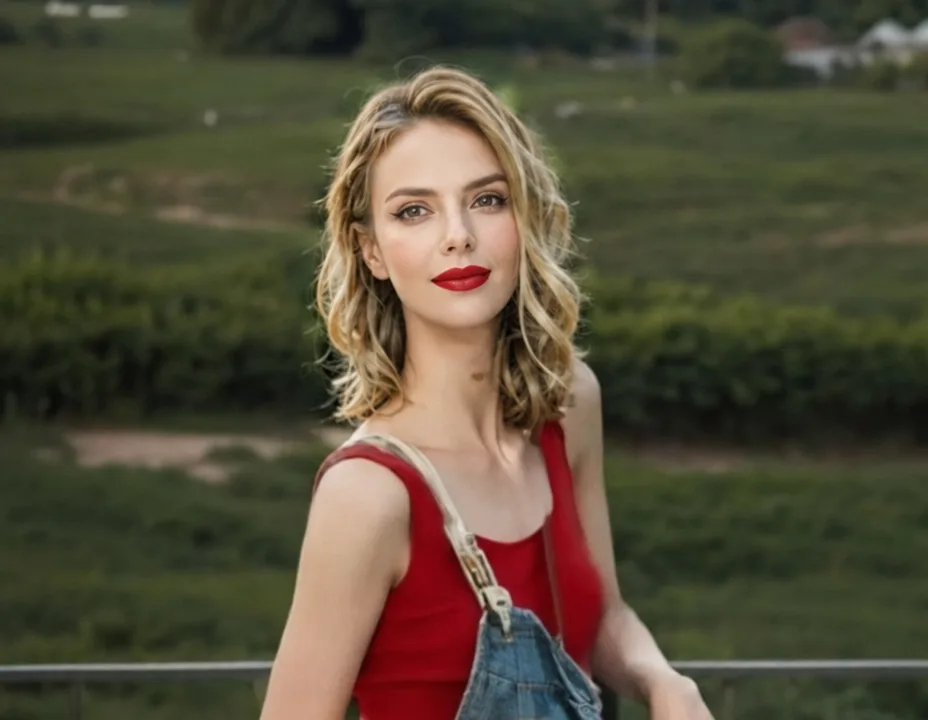
Retro red lip
A matte red lip and winged eyeliner on an otherwise natural face.
Use this briefUpload a portrait and describe the look: a matte red lip, a smokey eye, a new hair color. DreamMMer applies it while keeping your features, and every version stays in your workspace to compare.
The composer picks a default model for you; switch anytime before generating. Credit cost depends on the model and resolution.
Loading the generator… You can read the examples and copy a brief below.
Trying a look online usually means filters that slide over your face. DreamMMer works from your description instead: it names the products and tones, asks the model to keep your features and skin texture, and saves each attempt so you can compare a bold look with a subtle one from the same photo.
Use a clear, front-facing photo with even lighting. Say what the look should include — lips, eyes, brows, hair color — and how strong it should be.
Check that the face is still yours: features unchanged, skin texture natural, color placed where it should be. The original stays attached to the conversation.
Ask for a softer blush, a warmer lip tone, or the same look for a different occasion. Versions stack up, so you can step back to any earlier attempt.
Samples made with DreamMMer from the same source portrait using the instructions below. These are image-generation samples, not a guarantee of identical results.
A matte red lip and winged eyeliner on an otherwise natural face.
Use this brief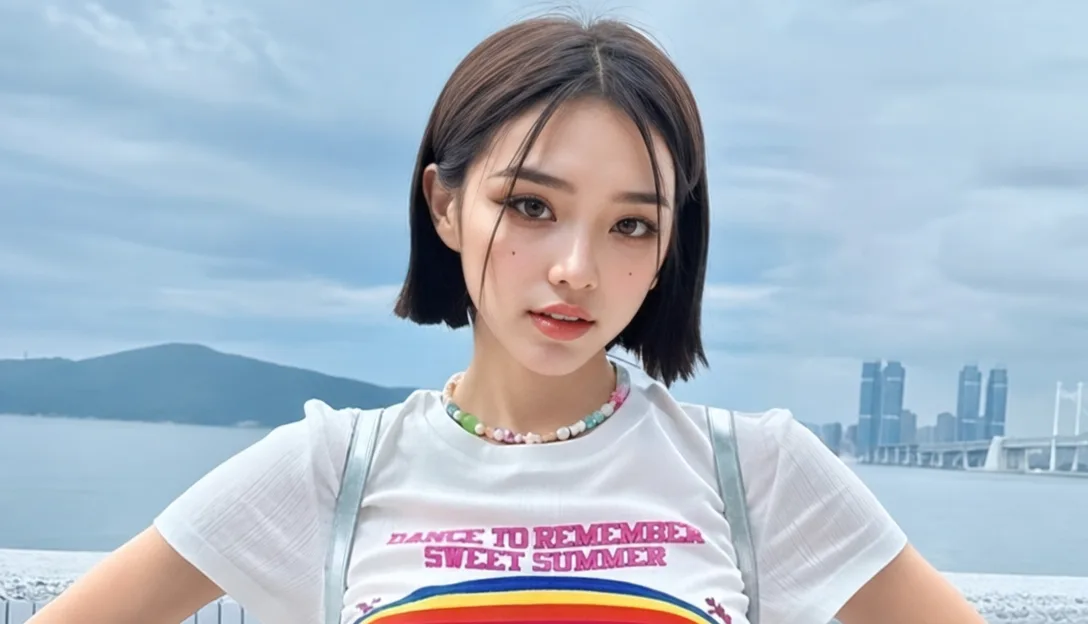
Smoked brown-grey shadow with defined lashes and a soft rose-beige lip.
Use this brief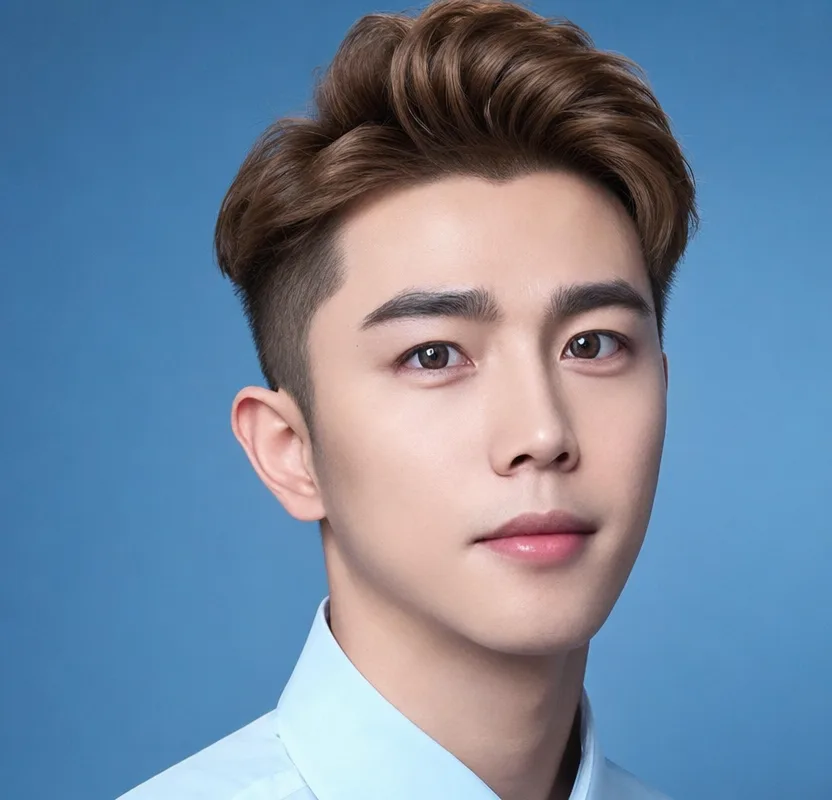
A color change with highlights — same hairstyle, same pose.
Use this briefUpload a portrait, use a brief to fill the input, then adjust the look to your taste.
Give her a retro makeup look: matte red lips and winged eyeliner. Keep her features and background unchanged.
Check that the eyes and lips changed but the face did not.
Give her a refined smokey eye: smoked brown-grey shadow, defined lashes, and a natural rose-beige lipstick color. Keep her features and background unchanged.
Look for natural skin texture around the eyes.
Change the hair color to a warm honey-brown with soft highlights, keeping the same hairstyle, features, and background.
Confirm the hairstyle and face are untouched.
That is the main instruction: keep the features unchanged. If a result changes your face shape or removes texture, tell the agent what drifted and ask it to redo the edit with stricter limits.
A front-facing portrait with even light and no heavy filter. Extreme angles or strong shadows make the makeup placement less realistic.
Yes — describe the color and whether you want highlights or a full change. The agent keeps the hairstyle unless you ask for a different one.
Every edit creates a new version in the same conversation, so you can keep a bold and a subtle look side by side and return to either one.
Uploads are stored in your account and sent to the selected image model to produce the edit. If you want an image removed, contact us through Support; see the privacy policy for details.
Creating an account is free. Each edit uses credits based on the model and resolution you choose; the pricing page lists current costs.