Image to Image AI Generator With a Reference Image
Use Dreammmer as an image-to-image AI generator: upload one JPG or PNG reference, then tell Seedream 5.0 Pro what to preserve and what to change. Start from a product photo, portrait, sketch, poster, or pre-annotated image instead of rebuilding the visual idea from scratch.
Create Product & Marketing Visuals
Start with a prompt or add one reference image, choose your settings, and generate a visual for products, campaigns, posters, or social content.
Guide the result with one image and one clear prompt
A useful reference-image prompt separates what must stay from what should change. That gives the model a visual anchor without asking it to reproduce the source exactly.
Upload one reference
Choose a JPG or PNG that you own or have permission to use. A product photo, portrait, sketch, poster, room, or annotated image can all provide useful visual context.
Name the keep and change rules
State the subject, shape, colors, composition, or mood to preserve. Then describe the new background, lighting, style, camera angle, layout, or use case you want.
Choose settings and generate
Select an aspect ratio and one to four outputs. Dreammmer sends the same reference-aware request through the existing generation, moderation, credit, history, preview, and download flow.
See how a source image can steer a new result
These existing Seedream marketing examples illustrate transformations that can begin with one uploaded image. They show how composition, layout, subject placement, and visual direction can carry into a new output.
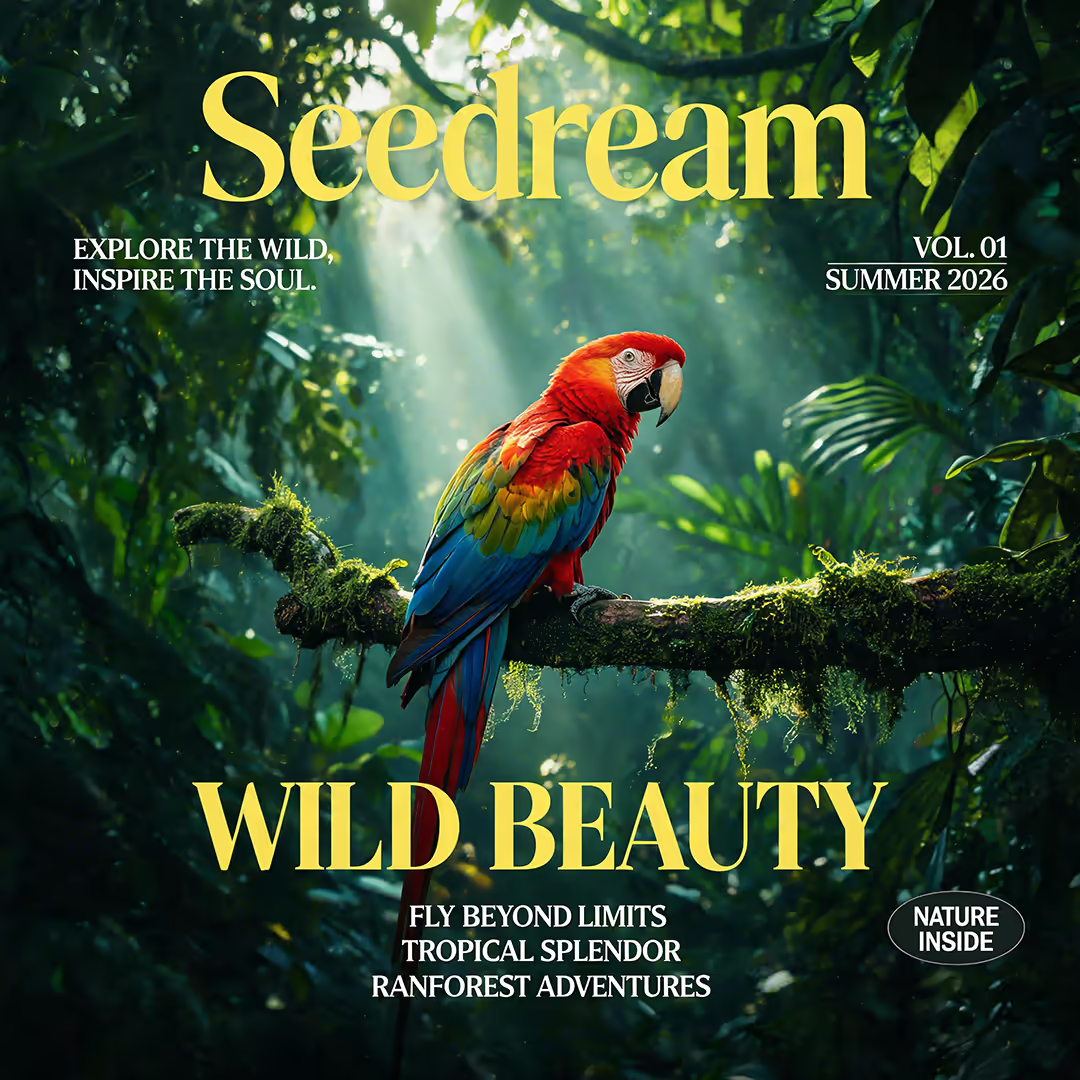
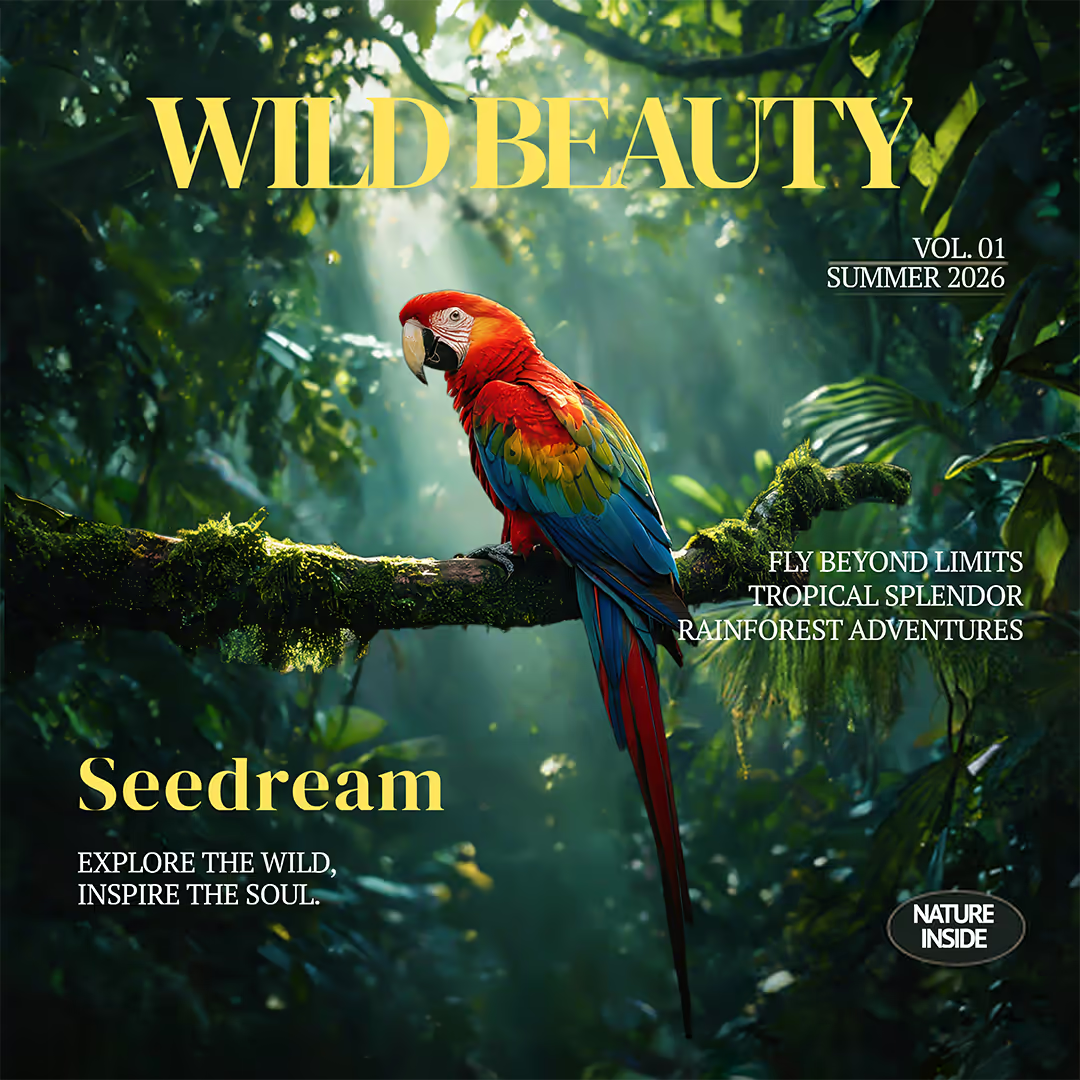
Rework a poster layout while keeping its visual identity
The reference supplies the macaw, rainforest palette, editorial typography, and overall campaign mood. The result explores a cleaner hierarchy without presenting layout editing as a separate design-canvas feature.
Keep the red macaw, dense green rainforest, golden editorial typography, and premium nature-magazine mood. Reorganize the headline and supporting copy into a clearer layout with more breathing room while keeping the image square.
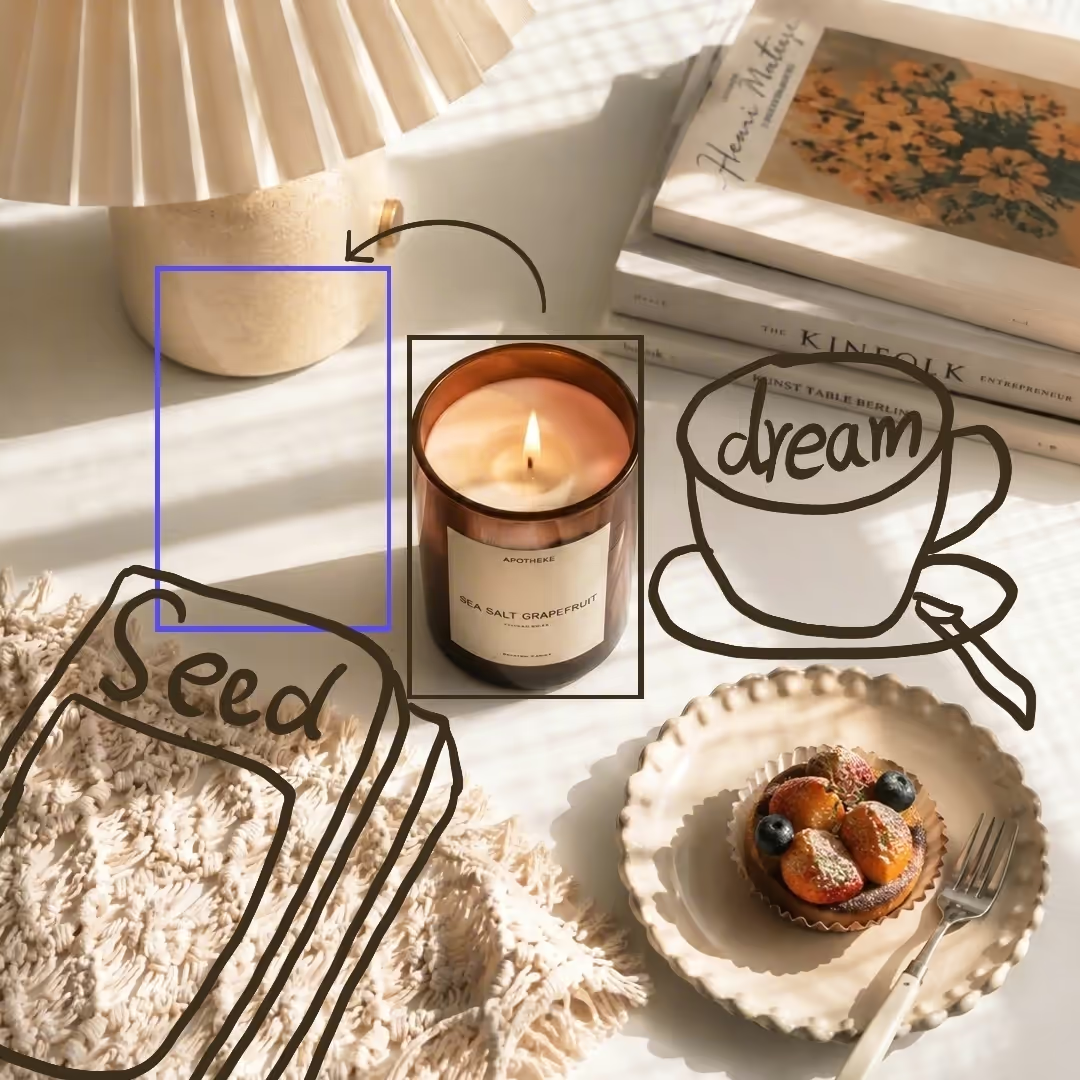
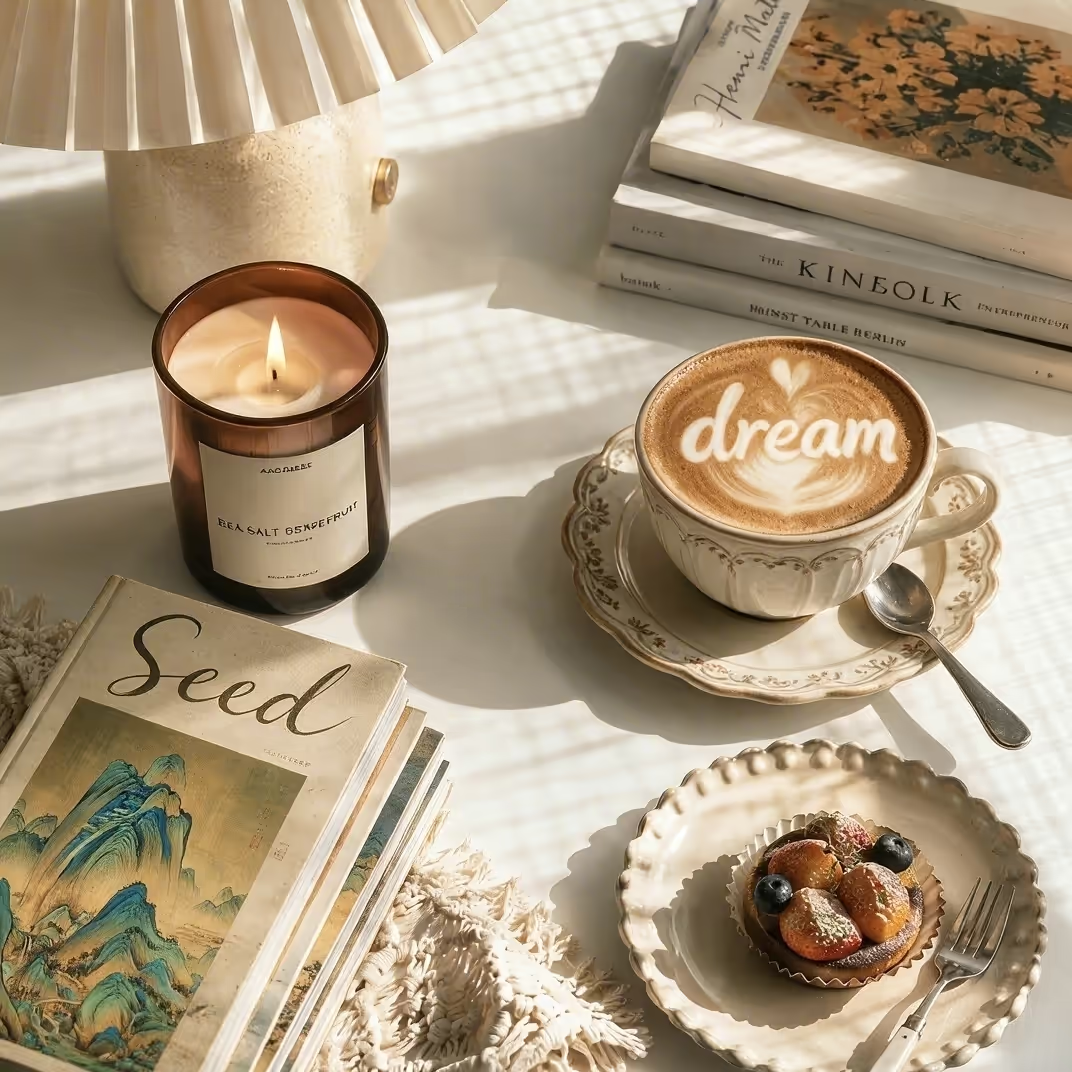
Upload an image that was annotated before generation
Dreammmer does not provide an in-page drawing canvas. If you prepare arrows, boxes, or notes before upload, the single annotated JPG or PNG can still act as the reference while your prompt explains each requested change.
Follow the annotations in the uploaded reference. Move the candle to the open area on the left, replace the cup sketch with a finished latte cup, replace the book sketch with a real art book, remove all guide marks, and preserve the warm morning light.
These are existing Seedream marketing assets, not preserved Dreammmer generation records. They illustrate reference-guided editing directions; the suggested prompts are reusable starting points, so an identical result is not guaranteed.
Reference image prompts that explain what to keep and change
Replace the bracketed details with facts from your own image. Specific instructions usually work better than asking for a generic improvement.
Change a product background
Preserve the item while replacing the setting and light.
“Keep the exact product category, main silhouette, material, and label placement from the reference. Replace the background with [new setting]. Use [lighting style], a [camera angle] view, realistic contact shadows, and leave clean negative space on [side] for campaign copy.”Try it in the generator
Create a styled product scene
Turn a plain source photo into a campaign-ready composition.
“Use the reference product as the hero object. Preserve its recognizable proportions and primary colors. Place it in [scene], add [supporting props], use [season or mood] art direction, and produce polished editorial product photography with natural reflections and believable scale.”Try it in the generator
Explore a new visual style
Use the subject and composition as anchors for a stylistic variation.
“Keep the central subject, pose, and broad composition from the reference. Reimagine the image as [visual style] with [palette], [texture], and [lighting]. Preserve important facial or product details without copying background clutter.”Try it in the generator
Turn a sketch into a finished image
Ask the reference to guide structure rather than surface detail.
“Treat the uploaded sketch as the composition guide. Keep the placement and scale of [key elements], convert the lines into [realistic photo / editorial illustration / 3D render], add [materials and environment], and finish with coherent light and perspective.”Try it in the generator
Make a poster variation
Preserve the campaign idea while changing hierarchy or format.
“Keep the main subject, campaign colors, and editorial mood from the reference poster. Rebuild the layout for a [1:1 / 4:3 / 9:16] canvas, create a clear headline area, simplify secondary text, and maintain strong contrast and intentional spacing.”Try it in the generator
Adjust portrait light and mood
Guide a portrait variation without promising exact identity locking.
“Use the reference portrait for the subject, pose, clothing direction, and framing. Change the environment to [location], use [soft window light / cinematic rim light / overcast daylight], shift the palette toward [colors], and keep natural skin texture and realistic depth.”Try it in the generator
What the current reference-image workflow does—and does not do
The page uses the same production generator as the homepage. Nothing here bypasses authentication, credits, upload checks, moderation, generation history, or download handling.
Available now
- One optional reference image combined with a required text prompt.
- JPG and PNG upload validation, file-signature checks, and fail-closed safety review before storage.
- Seven aspect ratios and one to four generated images per request.
- Seedream 5.0 Pro generation with account credits, generation history, preview, regeneration, and download.
- Clear user actions for sign-in, email verification, policy blocks, temporary service errors, and insufficient credits.
Important limits
- The uploader accepts one reference image, not several separate reference files.
- There is no built-in drawing, masking, coordinate, layer, or freeform annotation canvas.
- Dreammmer does not offer face-swap, deepfake, NSFW, or safety-bypass workflows.
- A reference guides the output; it does not guarantee pixel-perfect copying, exact identity, exact text, or identical results across generations.
- You are responsible for having the rights and permissions needed for every image you upload and every way you use the output.
Image to Image AI Generator FAQ
Straight answers about uploads, prompts, credits, output control, and the limits of the current tool.
What is an image to image AI generator?
An image to image AI generator combines an uploaded visual with a written prompt. Also called an AI image generator with a reference image, it uses the image for context such as subject, composition, palette, material, pose, or style, while the prompt explains what should stay and what should change.
How do I generate an image from a reference image?
Upload one JPG or PNG, then write a prompt that separates preservation rules from requested changes. Choose the aspect ratio and number of outputs, generate, and review the result. If the change is too broad, revise the prompt with more specific subject, background, light, layout, and style instructions.
Can I use more than one reference image?
Not as separate uploads in the current Dreammmer generator. The workflow accepts one optional reference image for each generation request. The page does not claim a multi-reference upload or character-consistency system.
Which reference image formats are supported?
The current uploader accepts JPG and PNG files within the size shown next to the generator. It also verifies the file signature and reviews the source image before storage or generation.
Will the generated image exactly copy my reference?
No exact match is promised. A reference guides the model, but output can vary in details, text, identity, geometry, and composition. Describe the features that matter most, generate a small set of variations, and refine the prompt based on the closest result.
Can I try the reference image generator for free?
New accounts receive welcome credits, and the current cost is shown beside the generate button before you submit. Credits are charged per generated image. Current subscription and one-time credit options are listed on the pricing page.
Are reference images reviewed for safety?
Yes. Uploaded references, prompts, and generated outputs may be reviewed under Dreammmer's safety process. Upload only content you are allowed to use, and review the Acceptable Use Policy for prohibited content and activity.
Turn one idea into your next campaign visual
Start from a prompt or reference image, then create product visuals, ad concepts, posters, illustrations, and social content in one workflow.