Tested product-image workflow

AI Product Photography for Studio Shots and Campaign Visuals

Create AI product photography from a written brief or one reference image. Build clean studio shots, ecommerce product visuals, campaign scenes, and new product backgrounds with the same production generator used across Dreammmer. New accounts receive enough welcome credits for 5 images.

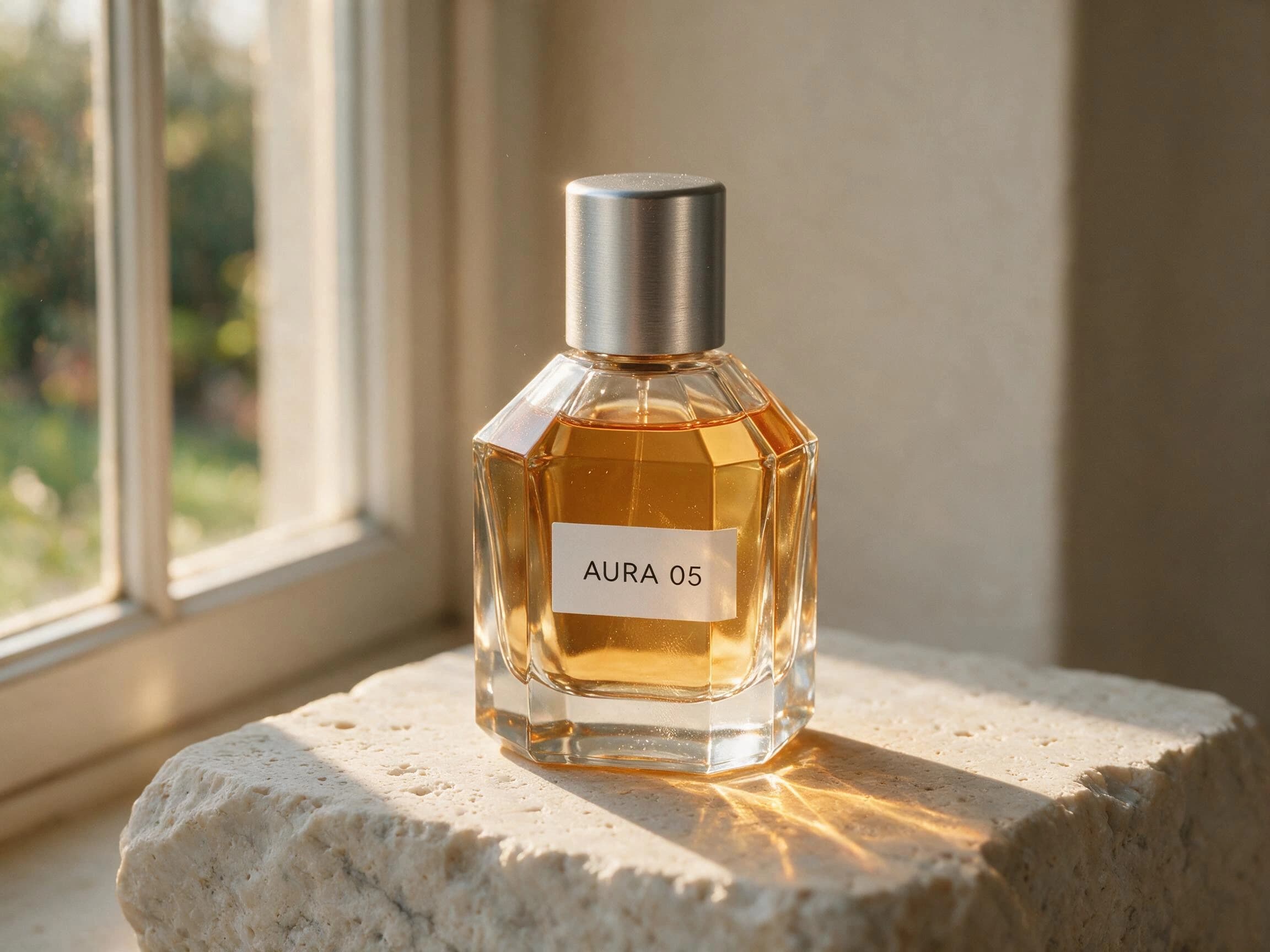
Seedream 5.0 Pro first-output product photograph of an AURA 05 perfume bottle in warm window light
Fixed brief · first output · no post-processingPro · 2K
Start with
A product brief or one existing product image
Reference limit
One optional JPG or PNG in each request
Current cost
10 credits for each generated image
Page default
Seedream 5.0 Pro, with Lite still selectable

Create Product & Marketing Visuals

Start with a prompt or add one reference image, choose your settings, and generate a visual for products, campaigns, posters, or social content.

10

Start from a prompt when the product is still a concept. Upload one product reference when silhouette, color, material, or packaging placement should guide the result. The reference is guidance rather than a pixel-perfect lock, so describe what must stay and what may change.

10 credits per image · welcome credits cover 5 images

Model choice

Pro is the default here for a reason, not a guarantee

Our matched first-output test gave Pro a narrow advantage in product-scene composition and closer reference framing. That is enough to make it the starting choice for this page, but not enough to claim it wins every brief.

Start with Pro

Default

Use Pro first when material finish, editorial spacing, lighting coherence, or close reference framing affects whether the image is usable. The current product supports 1K and 2K output for Pro. You still need to inspect packaging, small text, geometry, shadows, and every product-specific detail.
Switch to Lite when it fits

2K or 3K

Lite remains useful for exploration, simpler product layouts, and requests that need the available 3K setting. Lite and Pro currently cost the same number of Dreammmer credits per output. Our small test does not establish a reliable speed difference or universal quality ranking.

First-output evidence

Two product-image tests, including the instruction that failed

These are preserved files from fixed Dreammmer tests, not decorative examples selected without a prompt record. We kept the first returned image, held the shared settings still, and wrote down both the usable details and the missed instruction.

Test 01 · text to image

Can it separate glass, liquid, metal, and stone?

The same brief asks Lite and Pro to photograph an original, unbranded perfume bottle. This tests whether an AI product image generator can produce believable materials, contact, refraction, and light rather than applying one glossy texture to every surface.

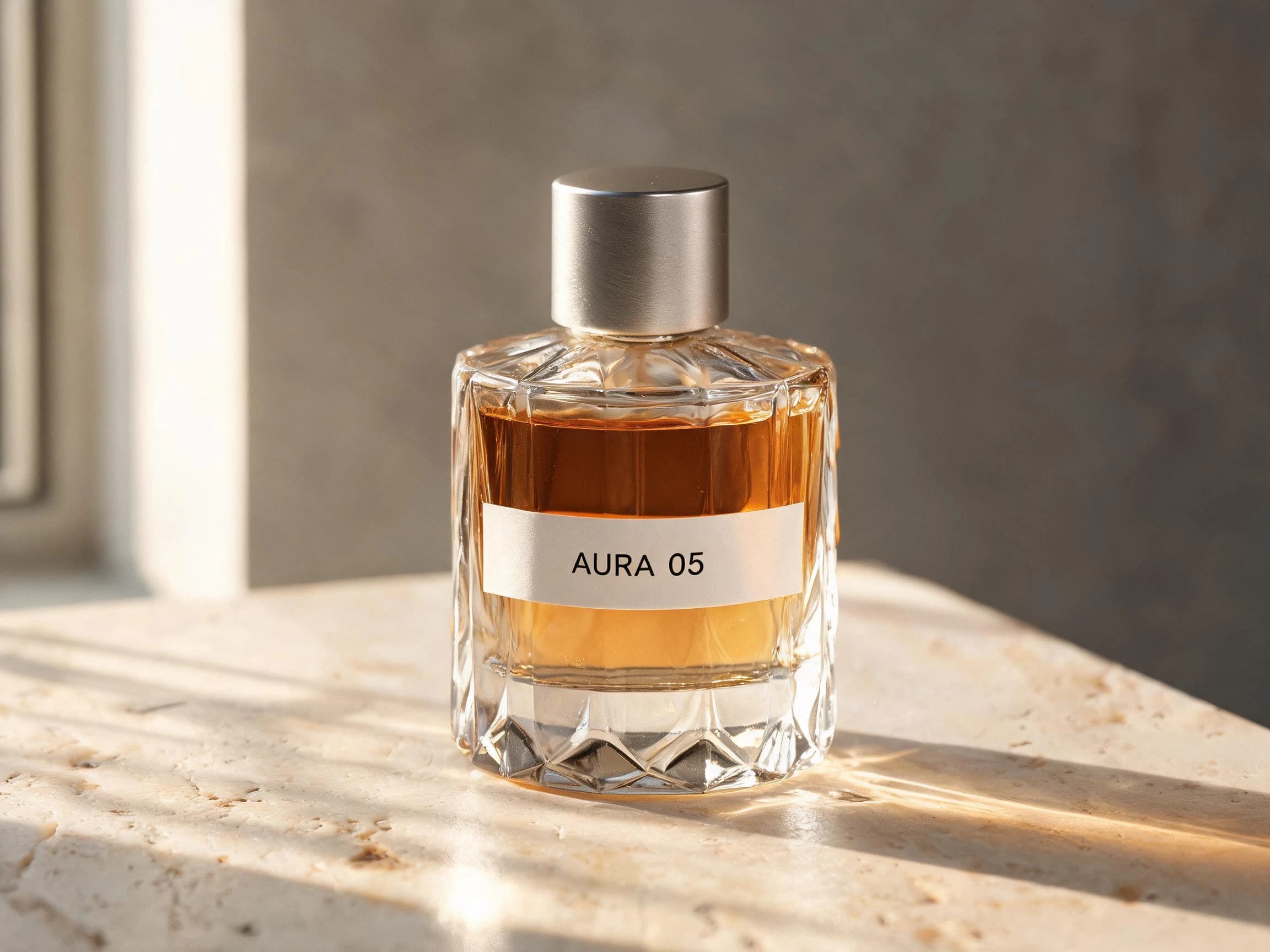
Both first outputs passed the core brief and kept the AURA 05 label exact. Lite produced a closer, crisper product view. Pro used negative space and the window-light path more cohesively. The difference was modest in this single pair, so it supports a task-level observation rather than a blanket winner.
2K · 4:3 · one image · no post-processing
Seedream 5.0 LiteSeedream 5.0 Lite AURA 05 perfume product photo on pale travertine
Seedream 5.0 ProSeedream 5.0 Pro AURA 05 perfume product photo with warm window-light caustics
Exact test prompt

Create a premium studio product photograph of an original unbranded perfume bottle labeled exactly "AURA 05". Clear faceted glass, amber liquid, brushed aluminum cap, placed on pale travertine. Late afternoon side light through a narrow window, realistic caustics, refraction, contact shadow, subtle dust and fingerprints, restrained editorial composition, no additional text, no logo, no watermark.

Test 02 · reference edit

Can the background change while the product stays recognizable?

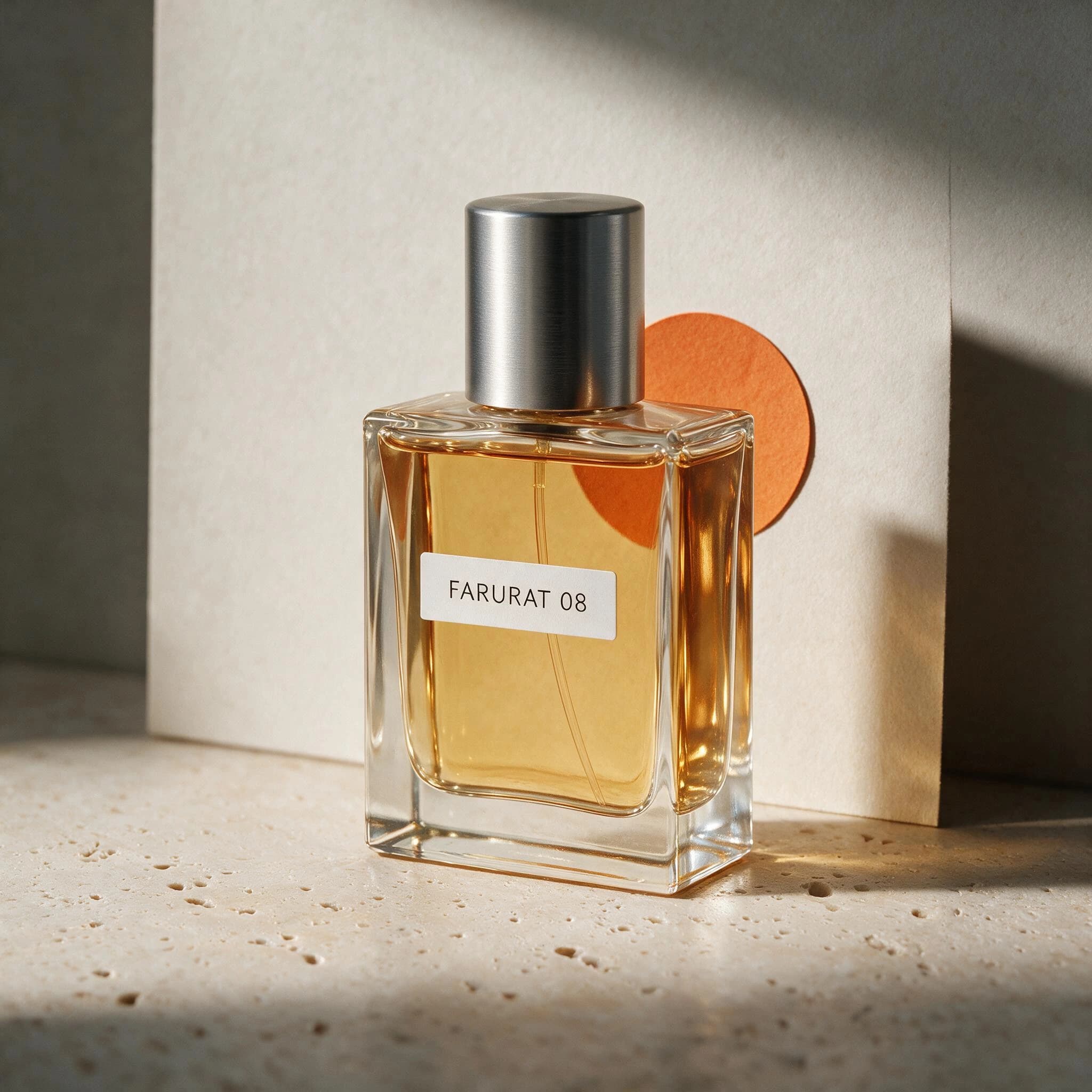
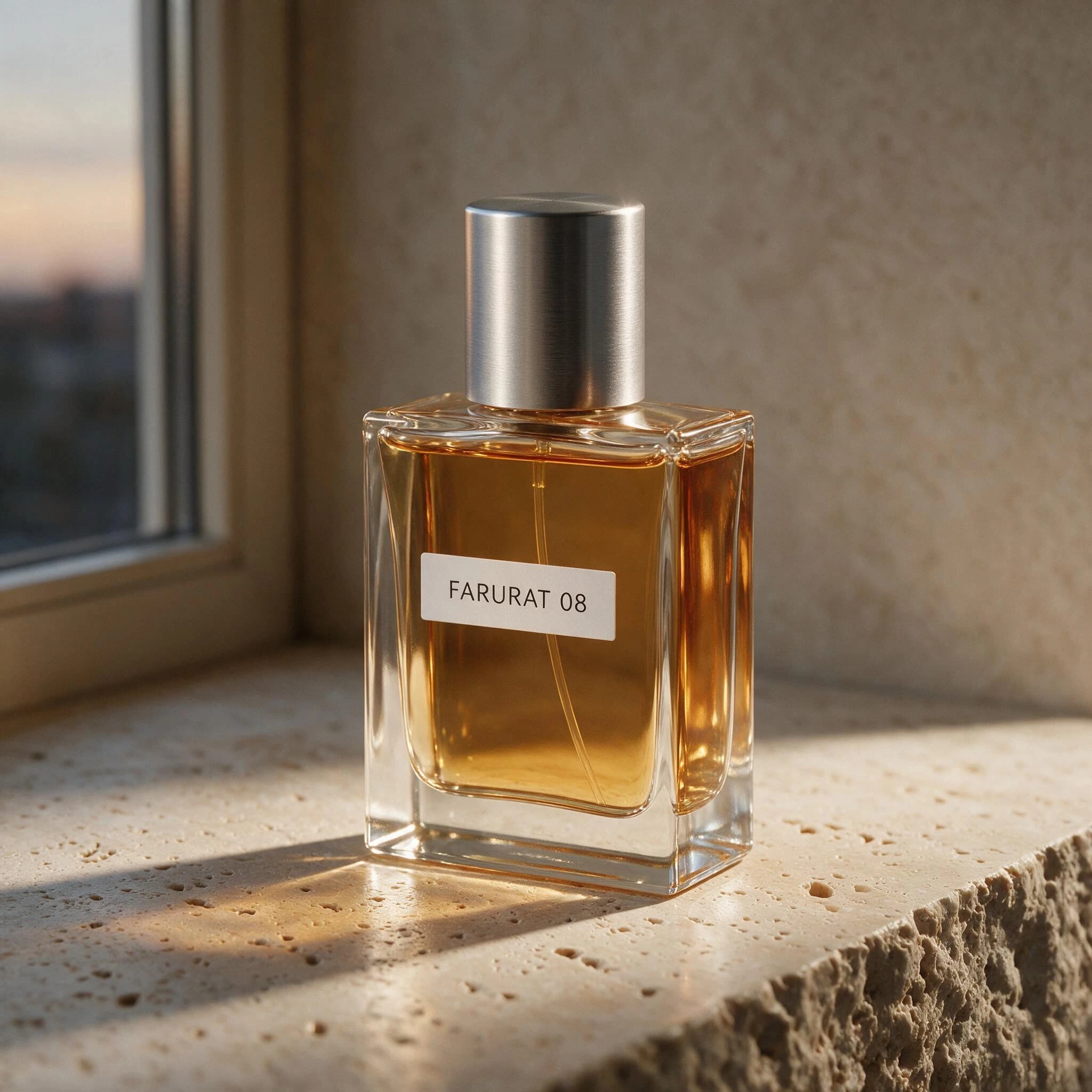
One owned, trademark-free product photograph was uploaded with a keep-versus-change instruction. The acceptance criteria covered the bottle silhouette, proportions, label placement, amber liquid, metal cap, camera angle, product position, new paper circle, and requested studio color.

The Pro result preserved the FARURAT 08 label, product identity, scale, and position closely and added the orange paper circle. It did not create the requested cobalt-blue background. This is a mixed result: useful product preservation, incomplete background replacement. A commercial workflow must catch both facts.
2K · 1:1 · one image · no post-processing
Owned source imageSource photograph of a FARURAT 08 amber perfume bottle on travertine beside a window
Pro first outputSeedream 5.0 Pro edit preserving the FARURAT 08 bottle with an orange circle and neutral studio wall
Exact test prompt

Preserve the product's exact silhouette, proportions, label placement, and primary color from the reference image. Replace only the background with a quiet cobalt-blue studio set, add a small warm orange paper circle behind the product, and change the lighting to soft left-side window light. Keep the camera angle and product position unchanged. Do not add objects, text, logos, or watermark.

These two cases test one product category and one first output per model or setup. They do not measure repeatability, generation speed, regulated packaging accuracy, coordinated campaign consistency, or every kind of product. Use the prompts to reproduce the method, then define acceptance criteria for your own item.

Production workflow

Treat the generator like a brief, a shoot, and a review

Good AI product photography starts with observable product facts and ends with a human quality check. The generation itself is only the middle step.

01

Lock the product truth

List the silhouette, proportions, material, primary colors, packaging structure, and any label placement that should remain stable. If those details already exist in a photograph you have permission to use, upload it as the single reference and repeat the preservation rules in the prompt.

02

Direct the new shot

Specify the scene, light direction, camera view, framing, surface, shadow behavior, and final channel. For an AI product background generator request, separate what should change from what must stay. Ask for negative space only where the final layout actually needs it.

03

Review before publishing

Compare the result with the brief at full size. Check shape, cap and button geometry, small text, reflections, contact shadows, brand colors, and accidental extra objects. Regenerate or finish the asset in a design tool when a critical detail is wrong.

Practical use cases

Where an AI product image generator can shorten the visual process

The strongest use cases give the model a clear visual job and keep a person responsible for final product accuracy.

Ecommerce hero concepts

Create square or landscape product-first compositions for storefront headers, collection pages, and early product detail page directions. A clean surface, controlled shadow, front three-quarter view, and restrained prop list usually make the result easier to evaluate.

Review: Confirm that the product shape, pack count, accessories, variant color, and visible label match the item that will actually be sold.

New product backgrounds

Keep one existing product photo as context while requesting a seasonal studio set, color-block background, botanical scene, or campaign surface. This can explore art direction without arranging a new physical set for every idea.

Review: Check edges, reflections, scale, contact shadows, and whether the requested background was actually followed. Our preserved reference test missed its required blue color.

Campaign and ad compositions

Generate a product scene with deliberate negative space for a headline, price, or call to action. State the intended aspect ratio and which side should remain quiet. Add final legal, promotional, and brand copy outside the generated image when accuracy is important.

Review: Inspect every generated character and do not rely on the model for exact pricing, claims, regulated copy, trademarks, or small-print disclosures.

Pre-shoot visual directions

Use text-to-image when the physical product is not ready or when a photographer needs a mood, light, lens, material, and composition reference. The output can help a team compare directions before committing budget to props, locations, and retouching.

Review: Present the image as a concept reference, not proof that the final physical product or real shoot will look identical.
Commercial review

A polished image can still be wrong

Use a small acceptance checklist before an AI-generated product visual reaches a storefront, advertisement, client deck, or production brief.

Compare silhouette, dimensions, visible components, variant color, and packaging structure against the real product or approved design.
Zoom in on labels, measurements, buttons, seams, logos, symbols, warnings, and any text that could change meaning or customer expectations.
Trace the light direction across highlights, reflections, transparent materials, cast shadows, and the point where the product touches its surface.
Remove invented accessories, duplicate parts, impossible joins, floating objects, stray text, and visual marks that could be mistaken for a real brand.
Confirm that you have permission for the uploaded product image, brand assets, people, locations, and the intended commercial use.
Keep final prices, product claims, legal copy, and regulated packaging in a controlled design workflow rather than trusting generated typography.
Continue the workflow

Move from product intent to a reproducible brief

Use the focused tool or guide that matches the next decision instead of forcing one page to answer every image-generation question.

Reference Image AI Generator

Learn the exact one-image upload workflow and a keep-versus-change prompt structure before editing an existing product photo.

Open the reference tool

Product Photography Prompts

Choose from fifteen production-oriented templates for ecommerce heroes, studio shots, lifestyle scenes, ads, details, and reference edits.

Browse the prompt library

Seedream Pro vs Lite

Inspect four matched first-output pairs and see why this page starts with Pro while keeping Lite available.

Read the comparison
FAQ

AI Product Photography Questions

Straight answers about references, backgrounds, model choice, product accuracy, cost, and commercial review.

What is AI product photography?

AI product photography uses an image model to create or transform product-focused visuals from a written brief, an existing product image, or both. In Dreammmer, the current workflow accepts a required prompt and one optional reference image. It can support studio concepts, ecommerce visuals, product backgrounds, and campaign directions, but the output still requires human review.

Can I create a product photo without uploading an image?

Yes. Use text-to-image when the product is conceptual or when a visual direction matters more than exact identity. Describe the product shape, material, color, scene, lighting, camera view, composition, and intended use. Upload a reference instead when recognizable product details already exist and should guide the result.

Can the generator replace a product background?

It can attempt a background change from one reference image. Write separate preservation and change instructions, then inspect whether both parts were followed. In our preserved first-output test, the product identity stayed close to the source but the requested cobalt-blue studio background was missed, which shows why verification is necessary.

Should I use Seedream 5.0 Pro or Lite for product images?

This page starts with Pro because our small matched test showed a narrow advantage in product-scene composition and closer reference framing. Lite remains available and supports 3K output. Both currently cost the same number of credits per generated image. Choose against your own brief rather than treating the model name as a quality guarantee.

Will labels and packaging stay exact?

Exact preservation is not guaranteed. Labels can change, small text can become inaccurate, geometry can drift, and packaging details can be invented even when the overall image looks polished. Compare the result at full size with the approved product, then use a controlled design or retouching workflow for brand-critical and regulated details.

How much does each AI product image cost?

The current Dreammmer generator charges the same credit amount for each generated image regardless of whether Pro or Lite is selected. The live generate control shows the charge before submission. New accounts receive welcome credits, while current subscriptions and one-time packs are listed on the pricing page.

Can I use generated product photos commercially?

You are responsible for the rights to uploaded images, products, trademarks, people, locations, and downstream use. Review every output for product accuracy, third-party rights, misleading claims, and policy compliance. Read the current Terms and Acceptable Use Policy, and get appropriate professional advice when a regulated or high-risk use requires it.

Turn one product brief into a testable first image

Start with Pro, define what must stay and what may change, then review the result against product truth before you publish.