GPT Image 2.5 Sunburst AI Image Generator

Build carefully directed images with GPT Image 2.5 Sunburst.

Made with GPT Image 2.5 Sunburst

Original examples generated with this model. Open an example to see its prompt and output details.

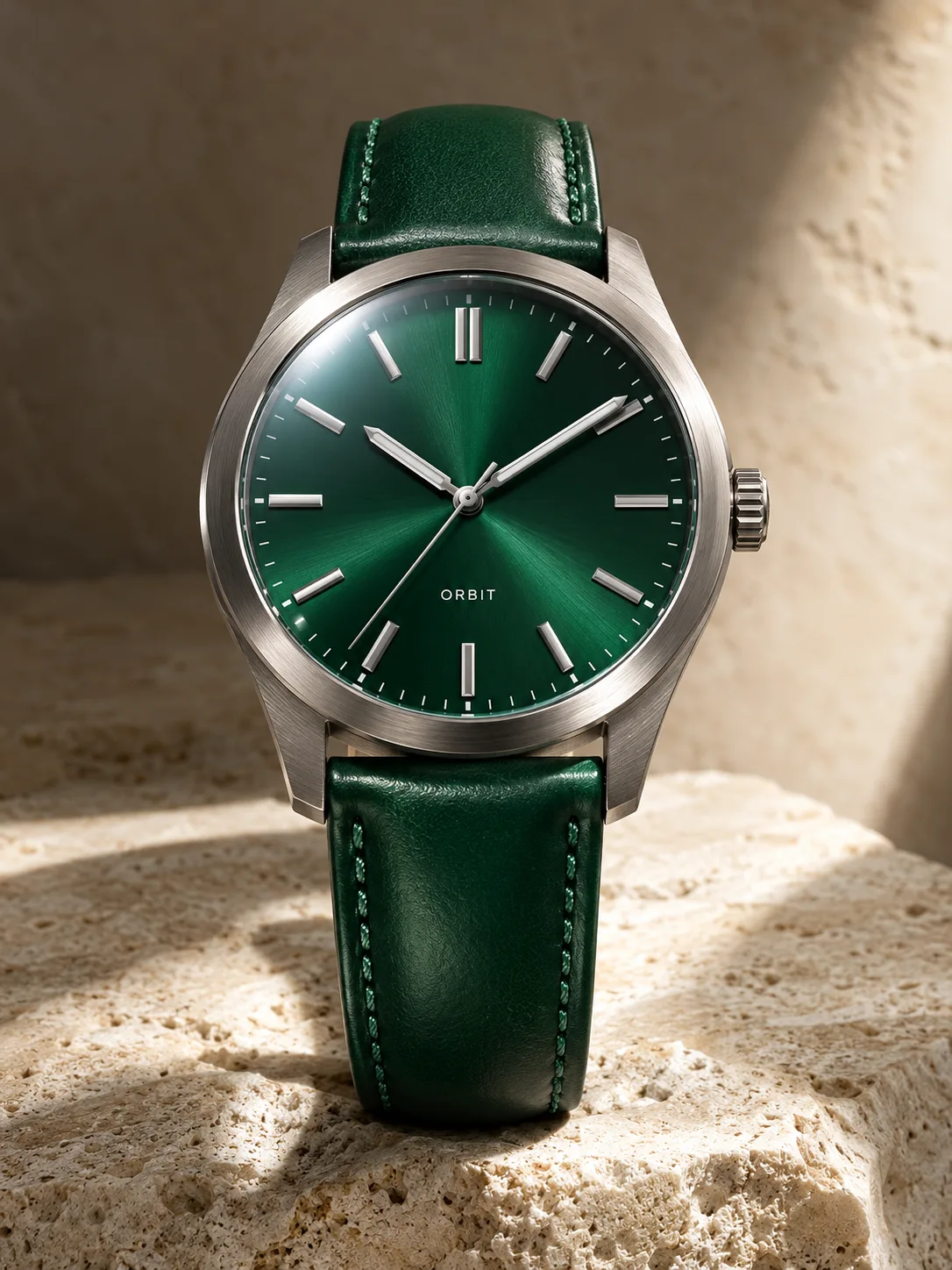
Emerald watch campaign

GPT Image 2.5 Sunburst · 1086 × 1448

Prompt

A premium macro product photograph of a brushed titanium wristwatch with an emerald green dial, three hands, crisp hour markers and an emerald leather strap. A small dial word reads ORBIT. The watch rests upright on ivory stone. Hard studio rim light reveals metal grain, glass reflections and stitching. A restrained luxury campaign with exceptionally clear product geometry and no floating parts. Full composition, no border, no watermark.
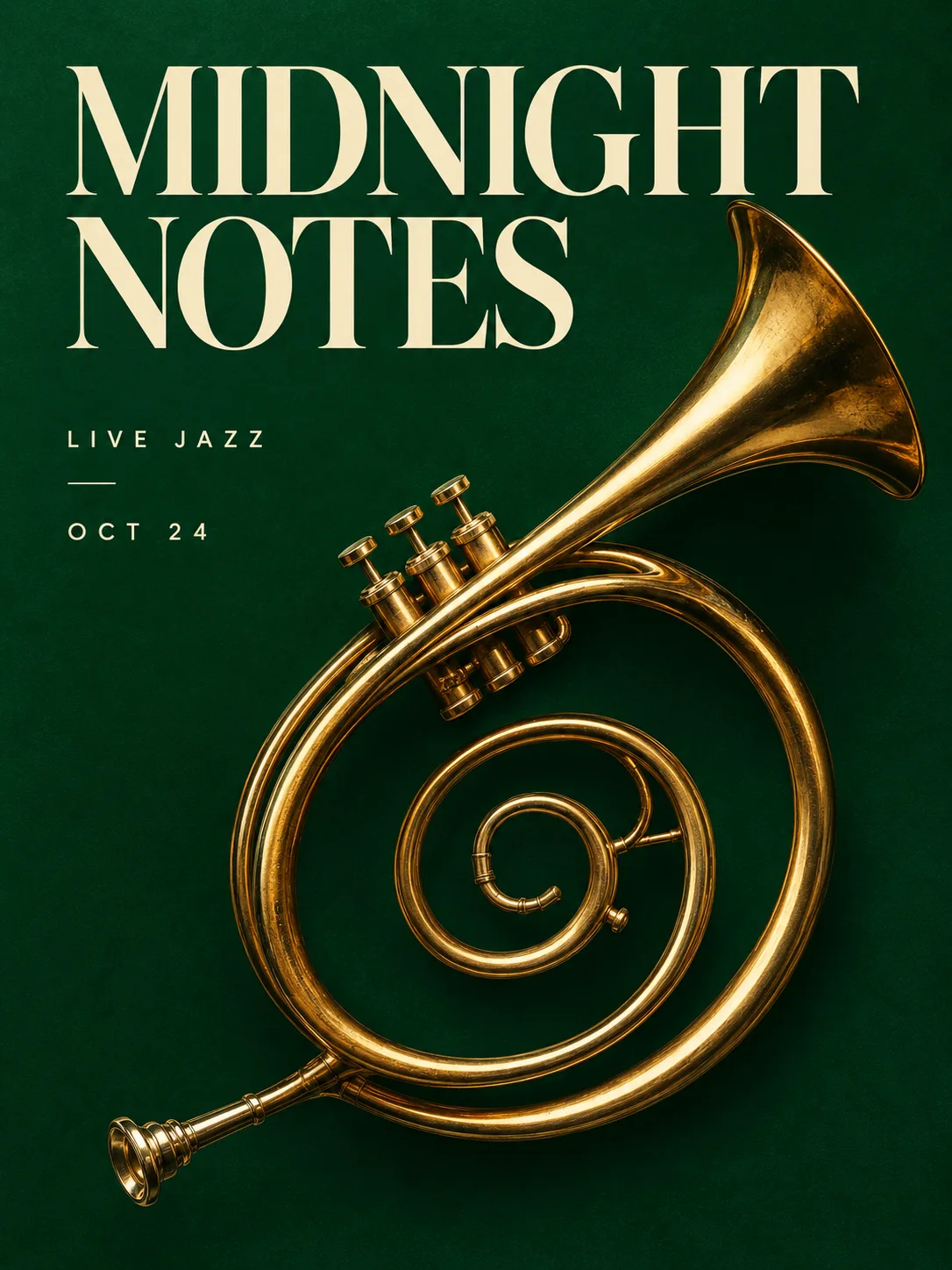
Midnight jazz poster

GPT Image 2.5 Sunburst · 1086 × 1448

Prompt

Design a sophisticated editorial jazz festival poster. Exact headline MIDNIGHT NOTES, small lines LIVE JAZZ and OCT 24. A sculptural golden brass trumpet forms a graceful spiral on an emerald green background. Large cream typography, intentional asymmetric grid, carefully spaced lettering, tactile print quality. Elegant contemporary art direction, no extra copy. Full composition, no border, no watermark.

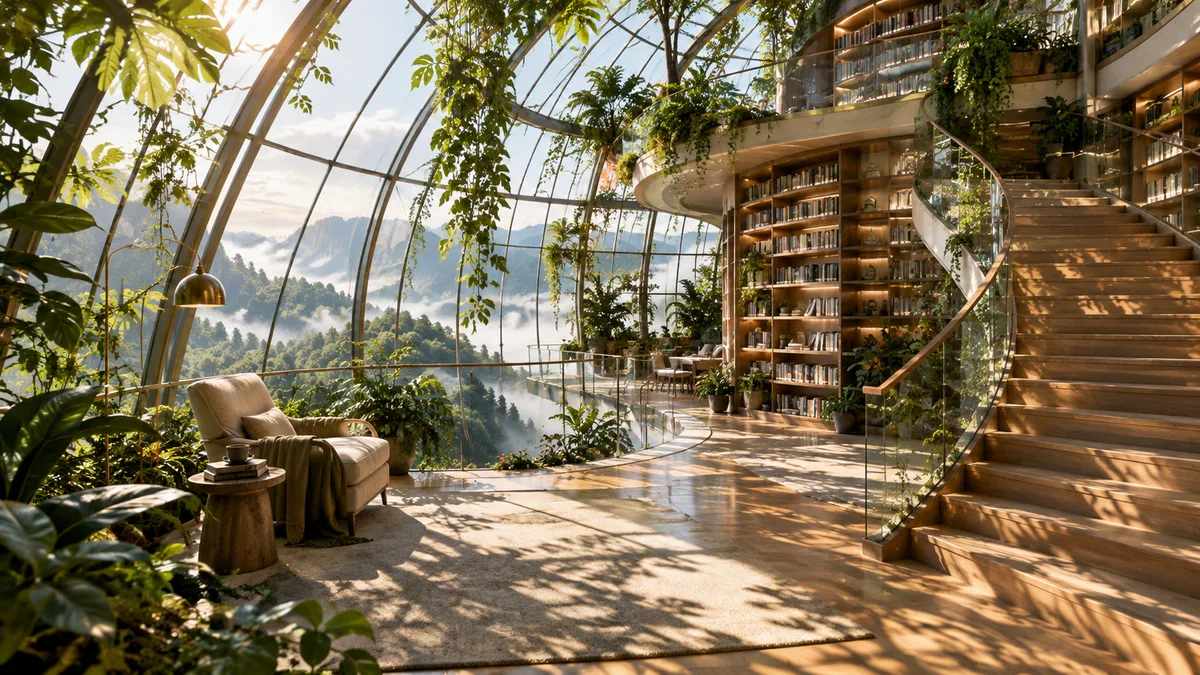
A library in the trees

GPT Image 2.5 Sunburst · 1672 × 941

Prompt

A cinematic architectural photograph inside an extraordinary greenhouse library suspended above a misty forest. Curved ribbed glass, emerald foliage, pale oak shelves, one reading chair, a sweeping staircase. Morning light creates intricate leaf shadows. Precise structure, believable perspective, rich transparent materials, a quiet human-scale reading space within a grand composition. Full composition, no border, no watermark.

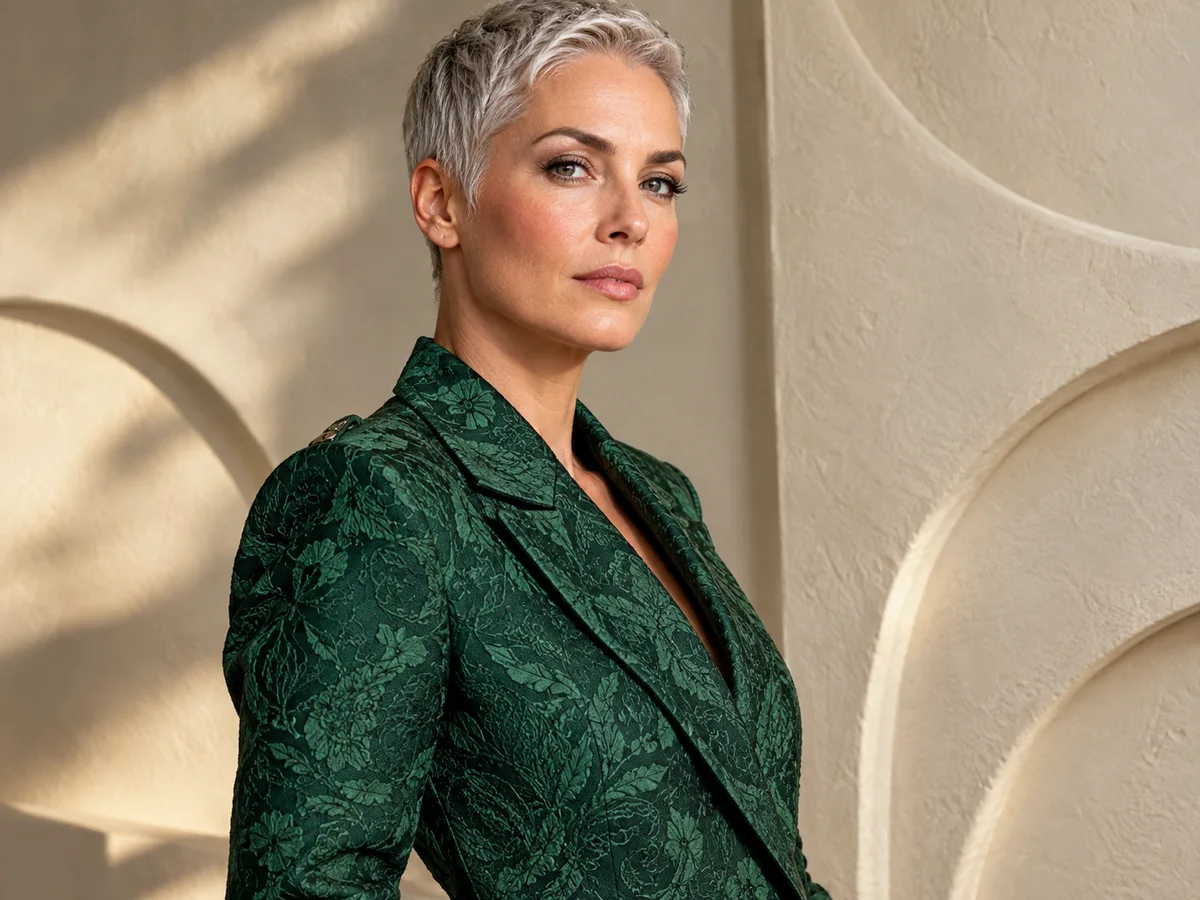
Sculptural textile portrait

GPT Image 2.5 Sunburst · 1448 × 1086

Prompt

Fashion editorial portrait of an adult woman with close-cropped silver hair wearing an emerald jacket woven from intricate jacquard fabric. Three-quarter composition against a warm ivory sculptural wall. Natural pores, clear eyelashes, precise woven pattern, dramatic soft side lighting. Contemporary and confident, without jewelry or lettering. Full composition, no border, no watermark.

What you can create

Build carefully directed images with GPT Image 2.5 Sunburst. Describe the composition, materials, and details that matter, then refine the result with the DREAMMMER agent. Explore product photography, editorial layouts, and reference-based image editing in one conversation.

Art direction with precise details

Give a watch a brushed-metal case, emerald dial, and controlled reflections. Naming the important surfaces and their relationship gives the agent a concrete brief. Start with the complete composition before adjusting one highlight or prop at a time.

Layouts with a clear hierarchy

For a jazz poster, specify the headline, secondary information, and space around the lettering. Sunburst supports image generation and editing from text and image inputs. Review the rendered words at full size before using them in a campaign.

Continuity through small revisions

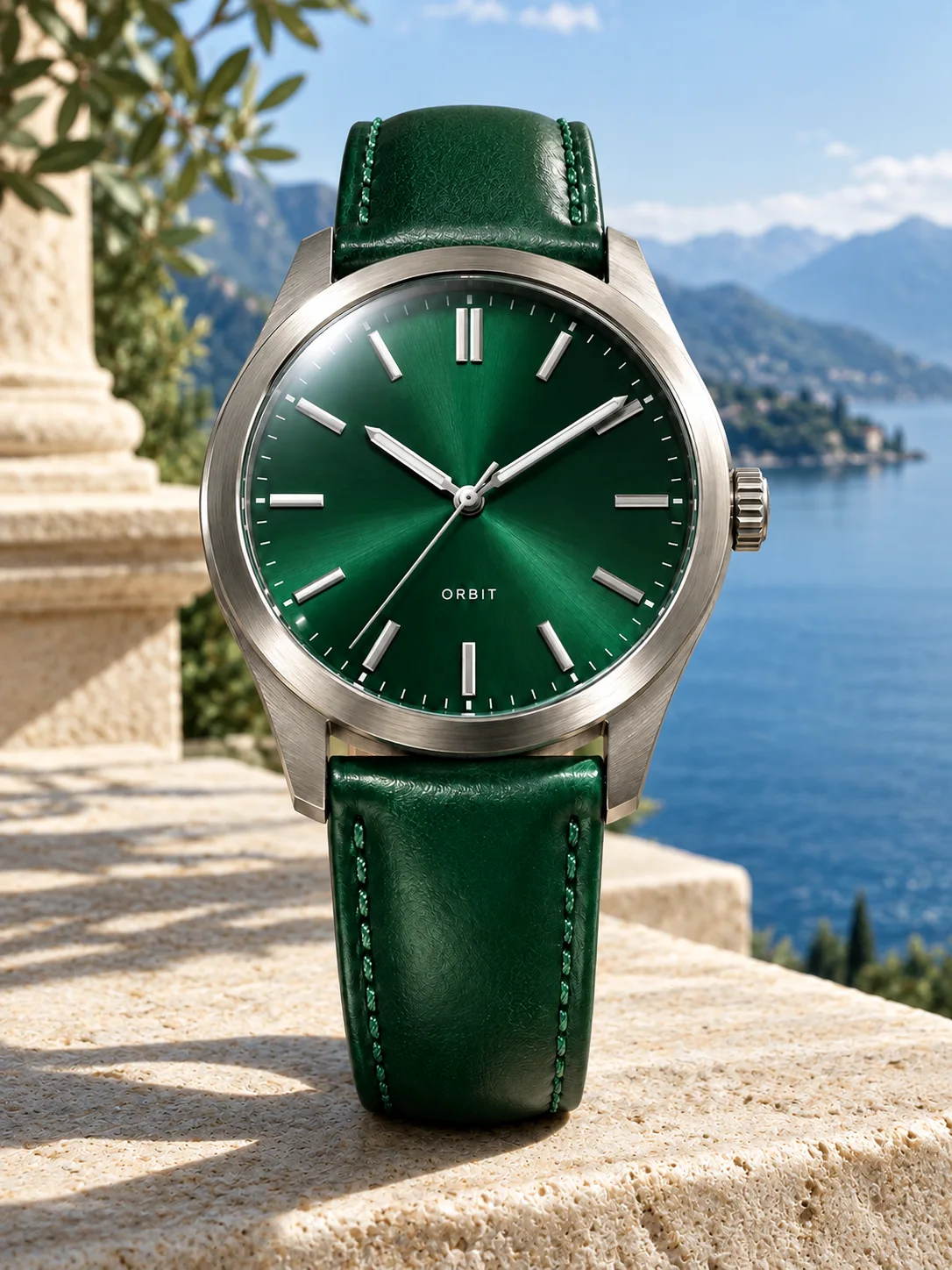
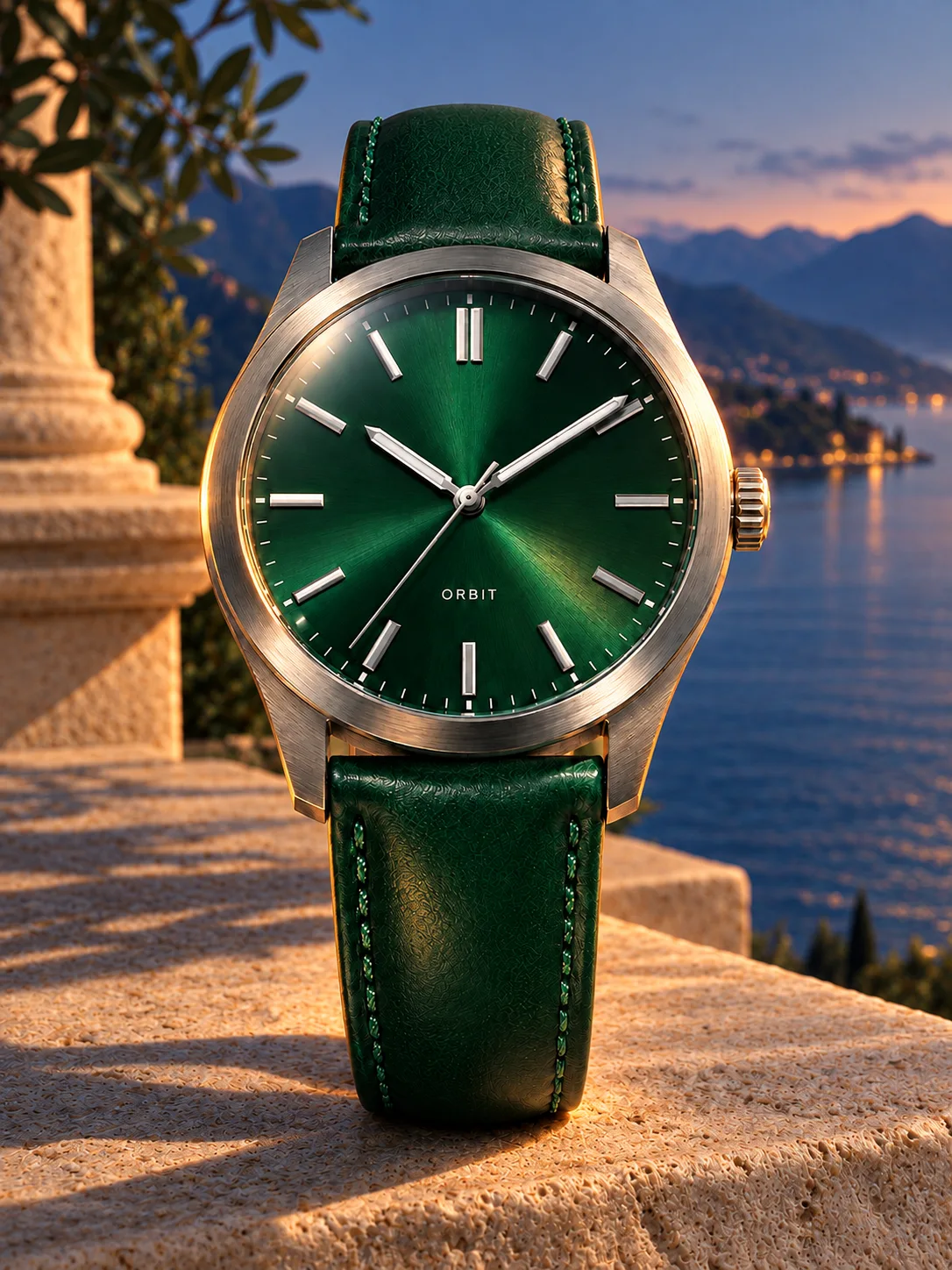
Use the approved product image as the reference for a new setting. Our sequence moves the same watch to a lakeside terrace, then changes the light to blue hour. Compare the product silhouette and lettering across all three images.

One image, three creative decisions

Each revision uses the previous result as its reference. Compare what changes and what stays recognizable.

Original image
Original image
Prompt

A premium macro product photograph of a brushed titanium wristwatch with an emerald green dial, three hands, crisp hour markers and an emerald leather strap. A small dial word reads ORBIT. The watch rests upright on ivory stone. Hard studio rim light reveals metal grain, glass reflections and stitching. A restrained luxury campaign with exceptionally clear product geometry and no floating parts. Full composition, no border, no watermark.
A new setting
A new setting
Prompt

Use the supplied image as the product reference. Preserve the exact product silhouette, construction, colors, logo and readable label. Replace only the setting with a sunlit sculptural stone terrace overlooking a calm blue lake and distant mountains. Keep a similar camera angle, realistic scale and the complete product in frame. Premium commercial photography, precise natural shadows and coherent reflections. No extra text, no watermark.

A new time of day
A new time of day
Prompt

Use this result as the reference for one more edit. Preserve the exact product, label, shape, surface, lake, mountain background and camera composition. Change the daylight to a refined blue-hour mood with a warm amber rim light on the product and subtle warm reflections. Keep the important details legible and the product recognizable. No added objects or text, no watermark.

To reproduce an edit, attach the previous image as a reference along with the displayed prompt.

How to create with GPT Image 2.5 Sunburst

  1. Describe the result

    Tell the agent the subject, composition, and intended use. Add a reference when the selected model supports it, and say which details should be preserved.

  2. Choose your settings

    This page starts with the featured model selected. Review the aspect ratio, available output size, and credit estimate. For video, also choose a duration that fits the action.

  3. Review and keep creating

    Open the completed work and inspect the details. Continue in chat with a specific revision, or download a result you want to use. Check visible text and listen to generated sound before publishing.

Settings and credits

These are the settings connected in DREAMMMER. The table shows output credits without reference inputs; your composer estimate includes the inputs and settings of the actual request.

OutputCredits
1K · per image35
2K · per image60
4K · per image95

Frequently asked questions

When should I choose Sunburst instead of Flare?

OpenAI positions Sunburst around precise editing and Flare around everyday creation. Try Sunburst when small details and a tightly specified composition need particular attention; compare the actual results and credit cost for your brief.

Can I preserve my product while changing the background?

Upload the product image and explicitly identify the shape, label, and colors to preserve. Ask for a background-only change first. Reference editing can still introduce differences, so inspect the result before making the next revision.

Does a larger output guarantee accurate text?

No. Resolution determines output size, while prompt interpretation and spelling still need review. Quote short text exactly and check it after generation, especially when a design contains several separate labels.

Do I need an account to create?

You can explore the page and prepare your prompt first. Sign in when you are ready to generate; the creative draft and selected model carry into the sign-in flow. Generation uses your available credits or eligible plan allowance.

Model information: GPT Image 2.5 Sunburst

Your next idea, made with GPT Image 2.5 Sunburst.

Start with a few words. Keep creating with your agent.

Create with GPT Image 2.5 Sunburst