Grok Video 1.5 AI Video Generator

Create moving scenes with xAI Grok Video 1.5.

Made with Grok Video 1.5

Original examples generated with this model. Open an example to see its prompt and output details.

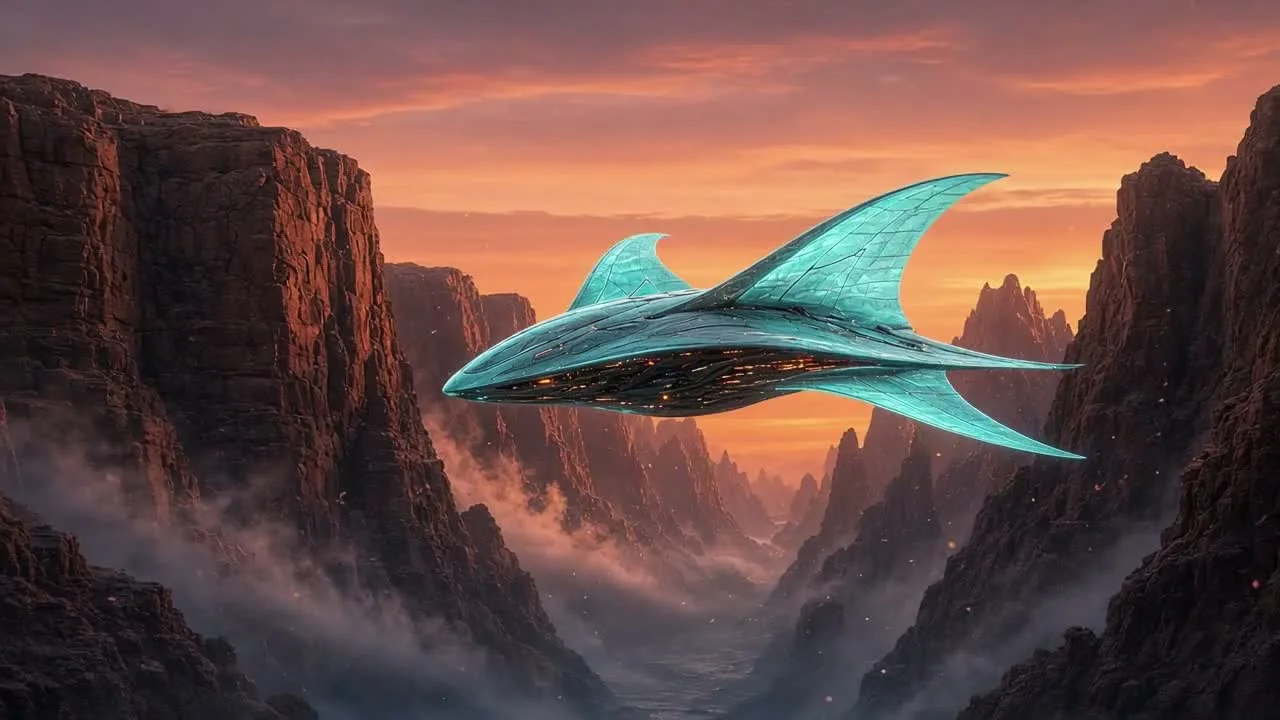
Neon manta ray

Grok Video 1.5 · 1280 × 720 · 6 seconds

Prompt

A luminous mechanical manta ray with translucent cyan fins flies gracefully through a futuristic orange-lit canyon at twilight. The camera tracks alongside it; thin mist and glowing particles reveal movement and scale. Elegant coherent fin motion, titanium surface detail, vibrant cyan and amber contrast. Soft wind and atmospheric electronic sound design, one continuous cinematic shot, no text or logo.
Previews play muted. Use the video controls to pause, replay, or listen.

What you can create

Create moving scenes with xAI Grok Video 1.5. Start from a written idea or a reference image, describe the motion, and develop the result with the DREAMMMER agent. Explore imaginative environments and product animation with genuine video examples.

Invent a subject with distinctive motion

A luminous manta-shaped craft moves through a canyon at sunset. The brief ties the subject’s movement to the surrounding light and gives the camera one direction. A readable silhouette helps the action stay understandable even in a richly colored scene.

Continue from a product composition

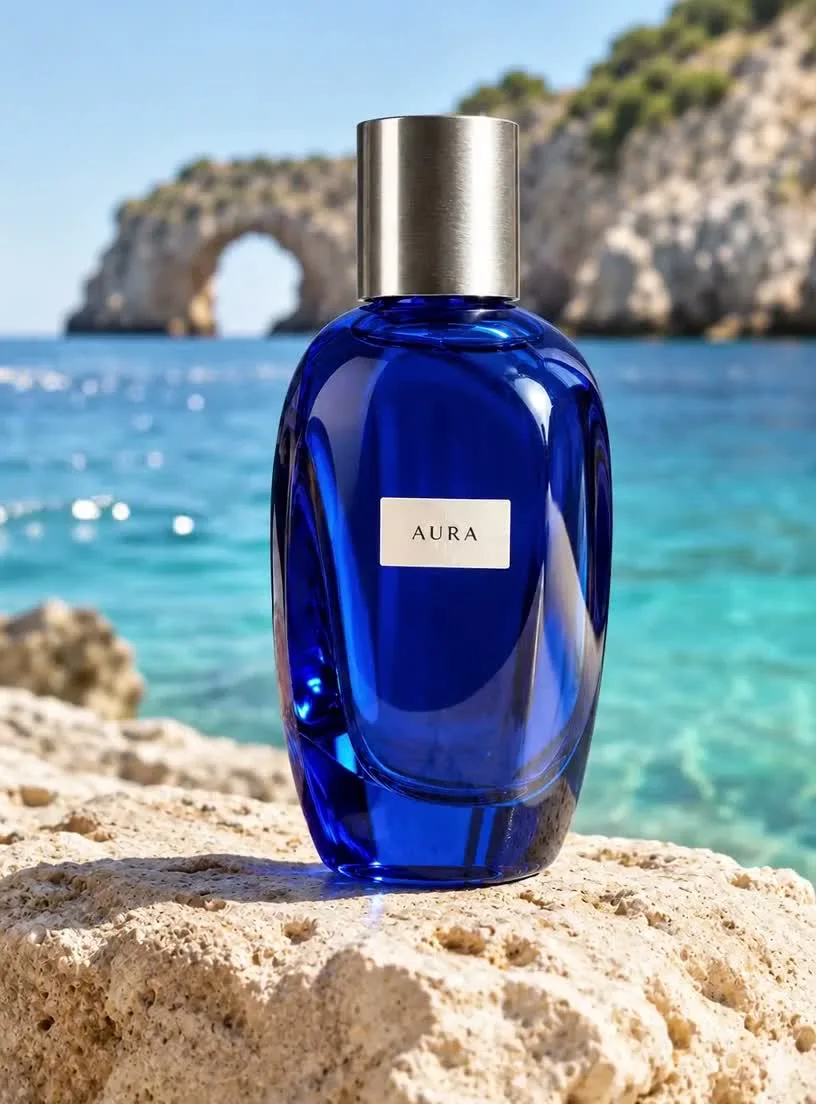
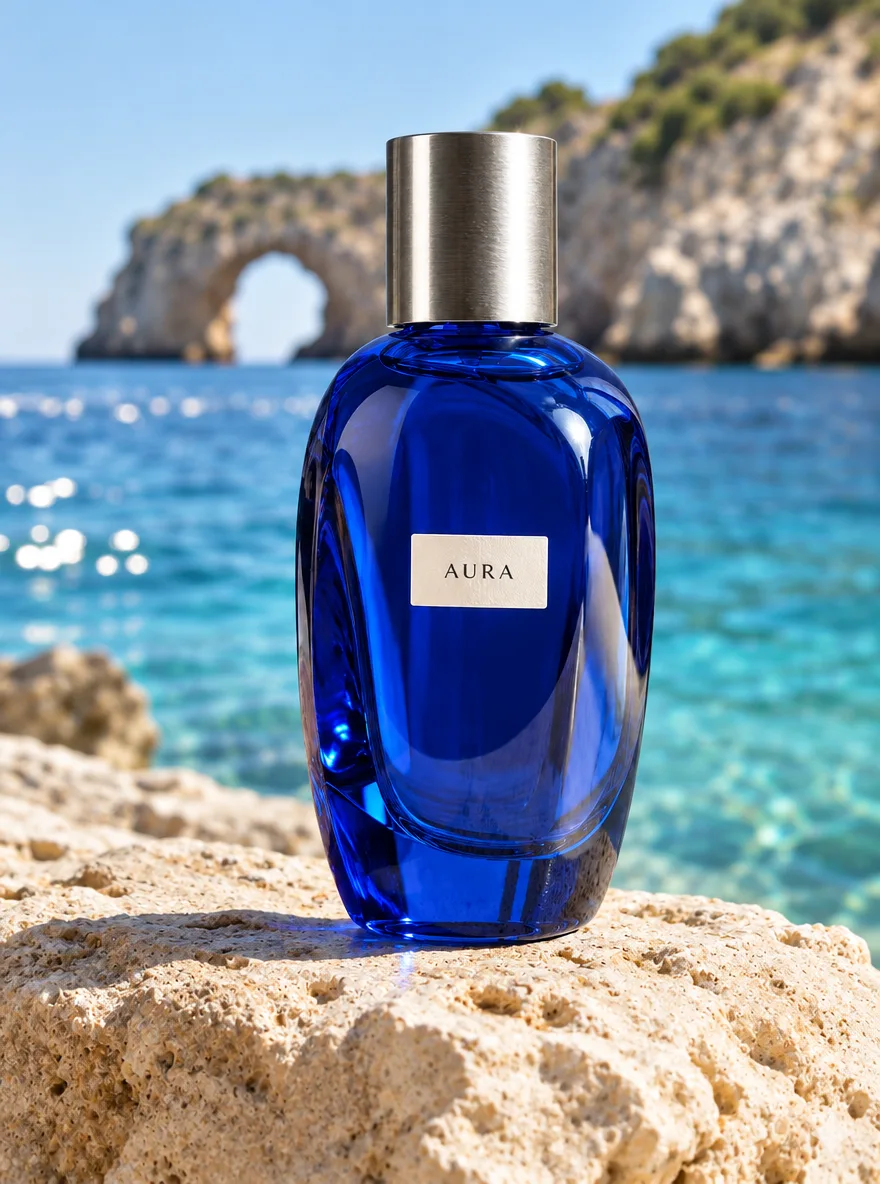
The coastal citrus image supplies a bottle, landscape, and warm palette. The video prompt adds a slow camera move and movement in the environment. Compare the original still with the clip to judge how the product and setting carry through.

Choose duration for the action

Use the opening seconds to establish the scene, then give the main movement room to unfold. A longer clip needs a planned progression rather than more unrelated events. Set the duration before reviewing the credit estimate.

From a reference image to a moving scene

The input still was made with GPT Image 2.5 Flare. The video was generated with the model selected on this page.

Starting image · GPT Image 2.5 Flare

Citrus on the coast

Grok Video 1.5 · 816 × 1104 · 6 seconds

Prompt

Create a luxury perfume film from this coastal reference. Keep the blue AURA bottle, cap, label, stone and distant sea arch consistent. Let gentle waves sparkle behind it while the camera makes a slow precise push toward the bottle. Realistic sun glints on the glass, soft ocean ambience, no speech, no text or cuts.

How to create with Grok Video 1.5

  1. Describe the result

    Tell the agent the subject, composition, and intended use. Add a reference when the selected model supports it, and say which details should be preserved.

  2. Choose your settings

    This page starts with the featured model selected. Review the aspect ratio, available output size, and credit estimate. For video, also choose a duration that fits the action.

  3. Review and keep creating

    Open the completed work and inspect the details. Continue in chat with a specific revision, or download a result you want to use. Check visible text and listen to generated sound before publishing.

Settings and credits

These are the settings connected in DREAMMMER. The table shows output credits without reference inputs; your composer estimate includes the inputs and settings of the actual request.

Clip length: 6 / 7 / 8 / 9 / 10 / 11 / 12 / 13 / 14 / 15 / 16 / 17 / 18 / 19 / 20 / 21 / 22 / 23 / 24 / 25 / 26 / 27 / 28 / 29 / 30 s

OutputCredits
480P · 6 seconds60
720P · 6 seconds114
1080P · 6 seconds204

Frequently asked questions

Is this Grok Video 1.5 or the image model?

This page uses Grok Video 1.5 for video generation. Grok Imagine Image 2.0 creates still images and has a separate landing page. The composer makes the selected model visible.

Can I use a last-frame image?

The current Grok Video integration supports a first frame or reference images, but not a separate last-frame control. If the ending composition is essential, choose a model that supports both endpoints.

What clip sizes are available?

DREAMMMER offers 6–30 seconds at 480p, 720p, or 1080p. Review the actual preview and downloaded file rather than assuming a higher setting guarantees a better interpretation of the brief.

Do I need an account to create?

You can explore the page and prepare your prompt first. Sign in when you are ready to generate; the creative draft and selected model carry into the sign-in flow. Generation uses your available credits or eligible plan allowance.

Model information: Grok Video 1.5

Your next idea, made with Grok Video 1.5.

Start with a few words. Keep creating with your agent.

Create with Grok Video 1.5