GPT Image 2.5 Flare AI Image Generator & Editor

Create and edit images with GPT Image 2.5 Flare. Describe your idea, add a reference, and refine the result with an AI agent.

Recommended for you

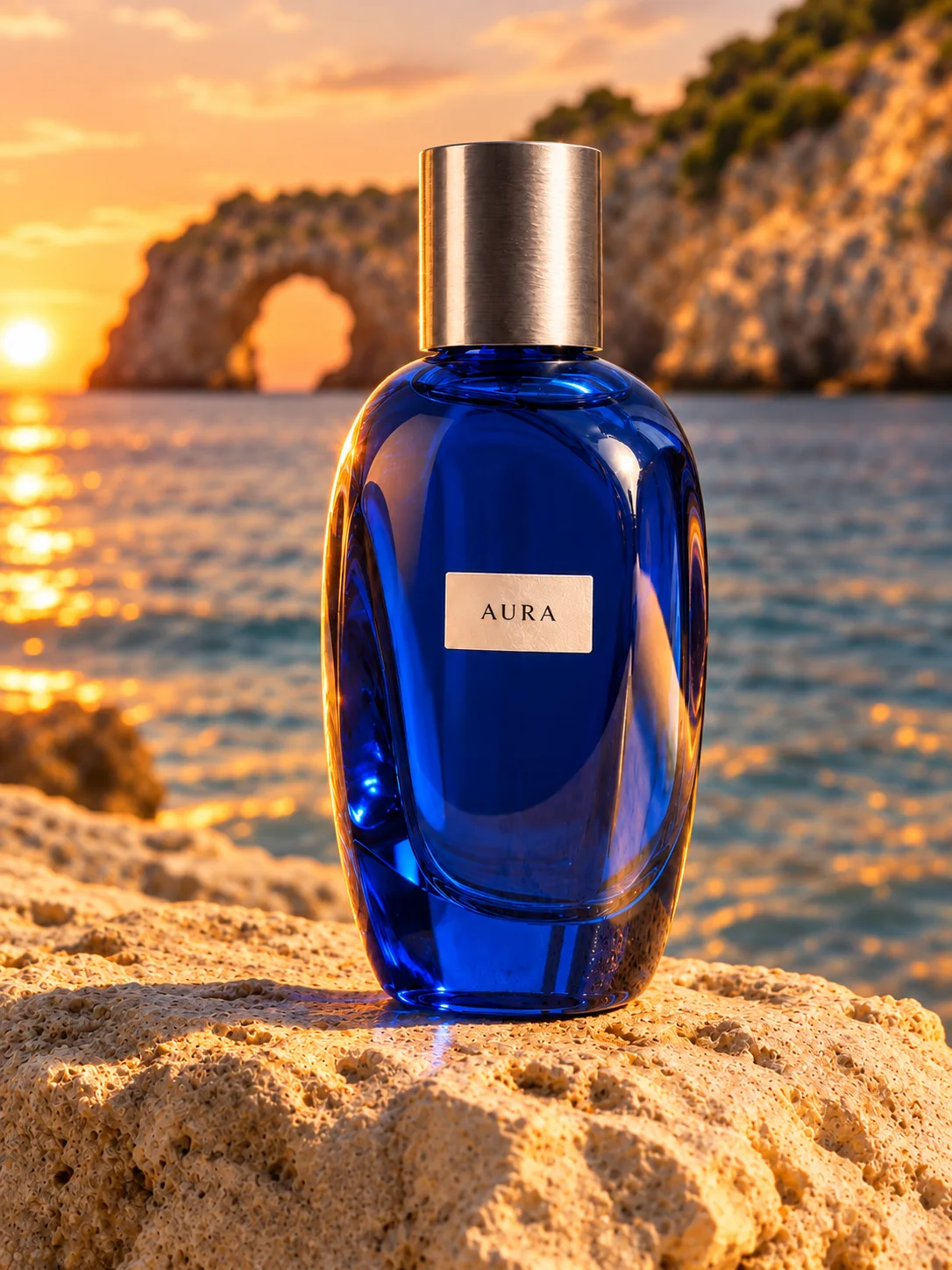
Created with GPT Image 2.5 Flare

From a product campaign to an impossible landscape. Explore real Flare outputs and start with the exact prompt behind each image.

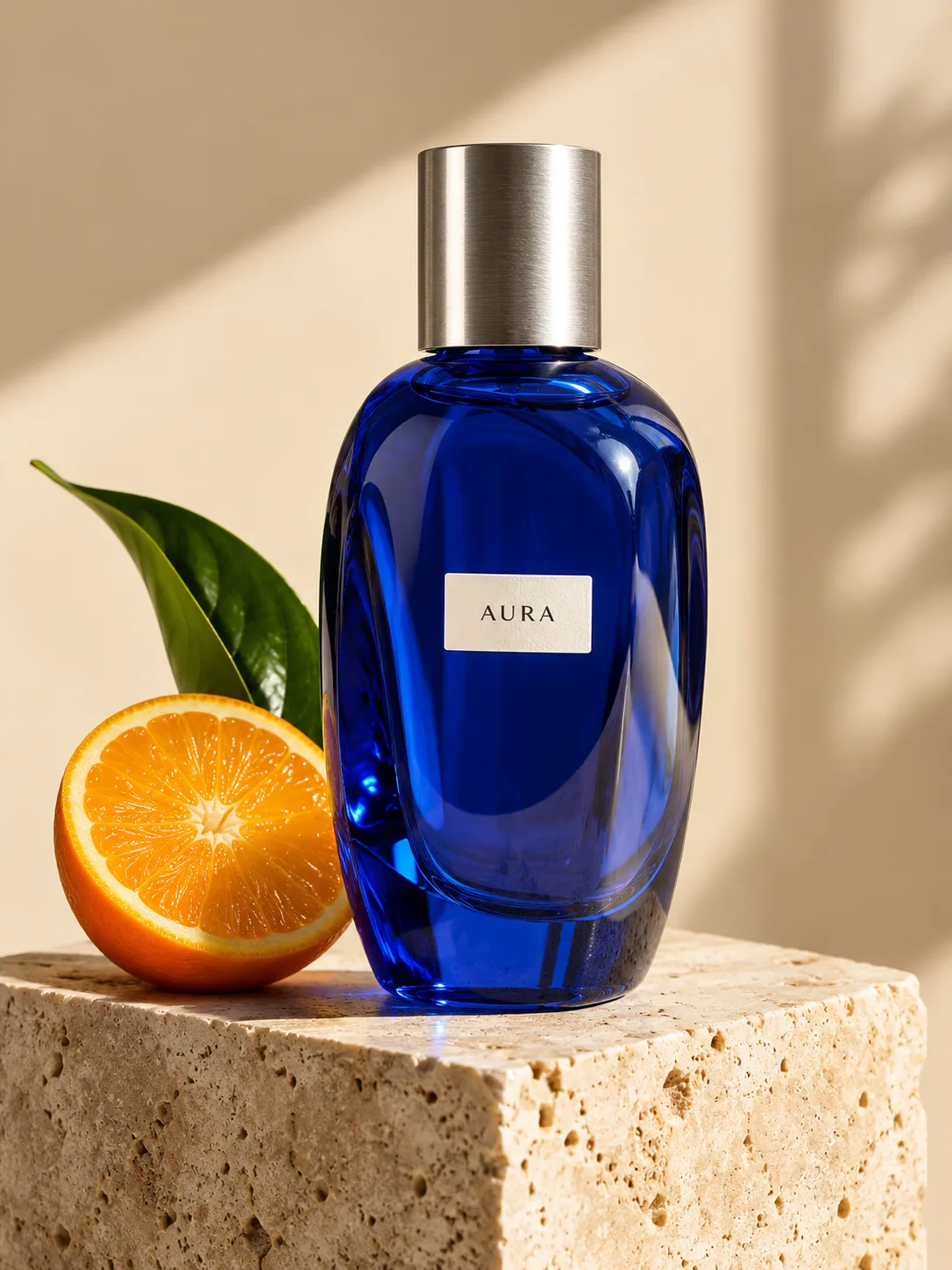
A product in the spotlight

Original prompt

Create a premium editorial product photograph of a single sculptural cobalt-blue glass perfume bottle with a brushed silver cylindrical cap and a small white label reading AURA. Place it on a pale travertine block, with one sliced orange and one curved green leaf beside it. Warm ivory studio background, hard afternoon sunlight, precise glass reflections, deep blue and citrus-orange color contrast, luxurious restrained art direction. Portrait 3:4 composition. No other text, no watermark.
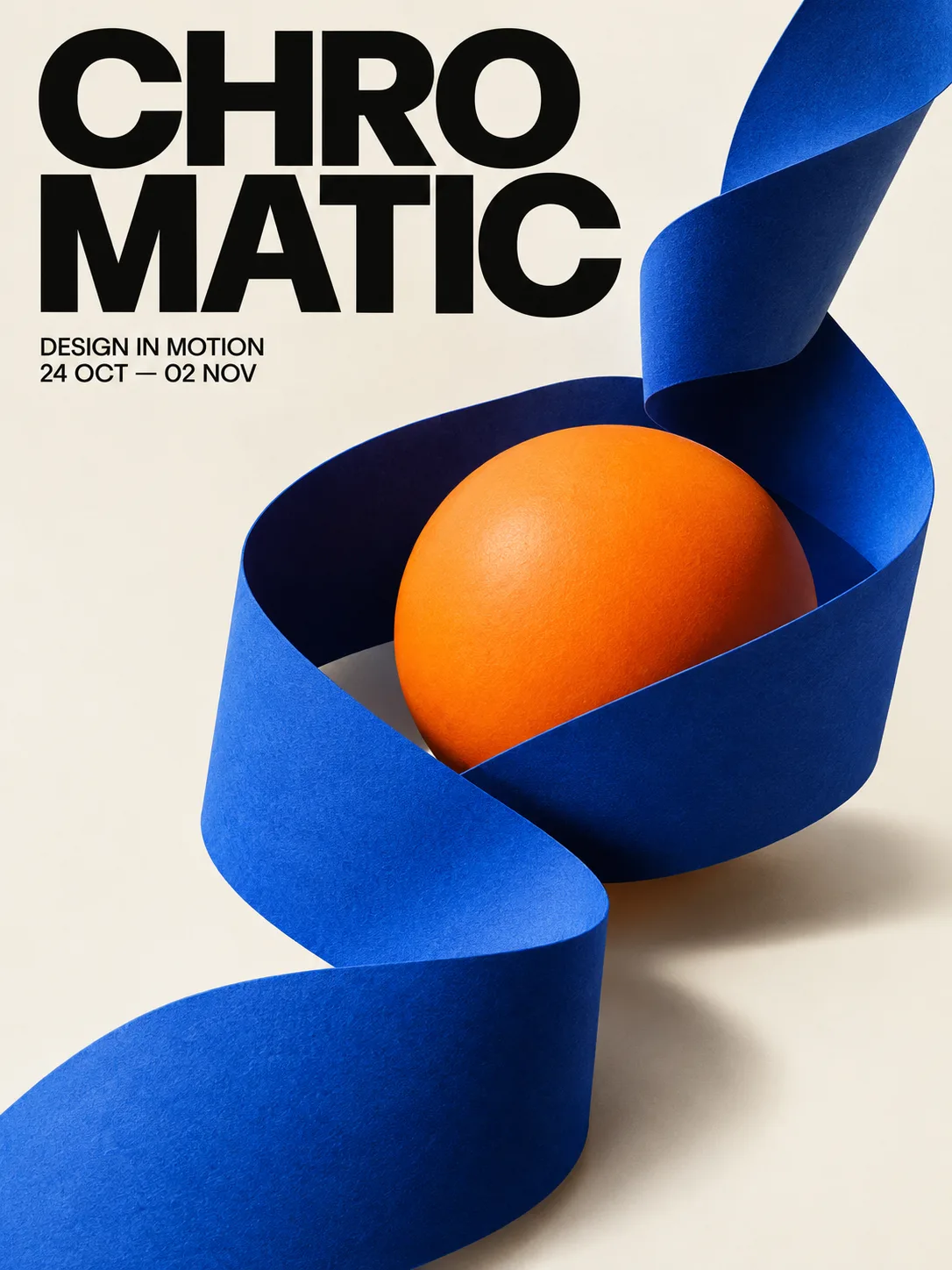
Typography meets sculpture

Original prompt

Design a bold Swiss-inspired contemporary art exhibition poster. The exact headline is CHROMATIC, split across two lines as CHRO and MATIC in very large black sans-serif type. Below, small clear text reads DESIGN IN MOTION and 24 OCT — 02 NOV. A luminous sculptural ribbon made from cobalt-blue folded paper curls around a vivid orange sphere on a warm off-white background. Dynamic asymmetric composition, sophisticated editorial hierarchy, sharply rendered paper texture and soft cast shadows. Portrait 3:4, full bleed, no frame, no watermark.

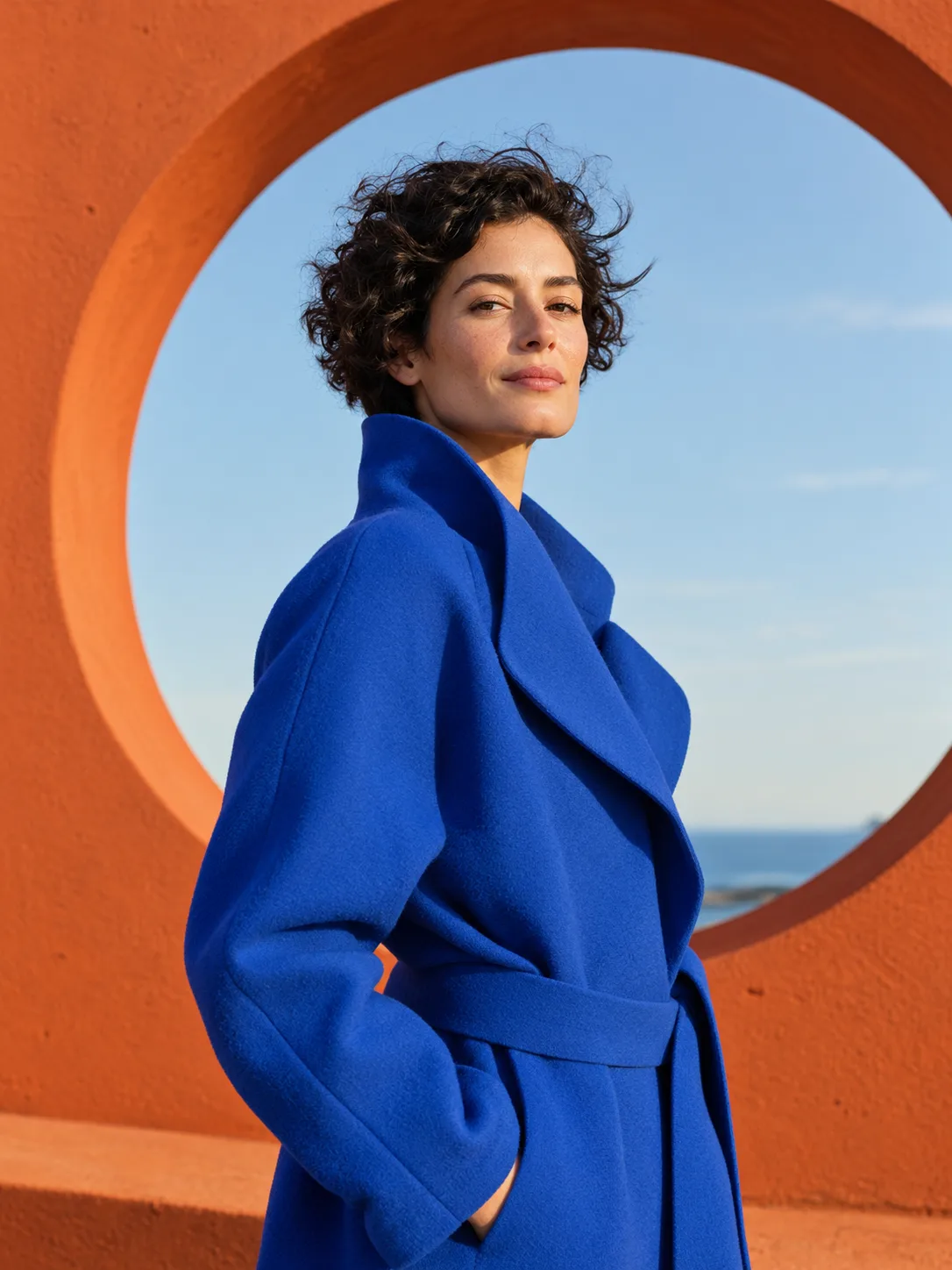
An editorial point of view

Original prompt

An original fashion editorial portrait of an adult woman with short dark curly hair wearing a sculptural electric-blue coat. She stands in front of a huge burnt-orange circular architectural opening, with a pale blue sky beyond it. Confident relaxed expression, natural skin texture, a slight breeze, warm side light, medium shot, strong geometric composition, cinematic yet photographic. Portrait 3:4. No text, no logo, no watermark.

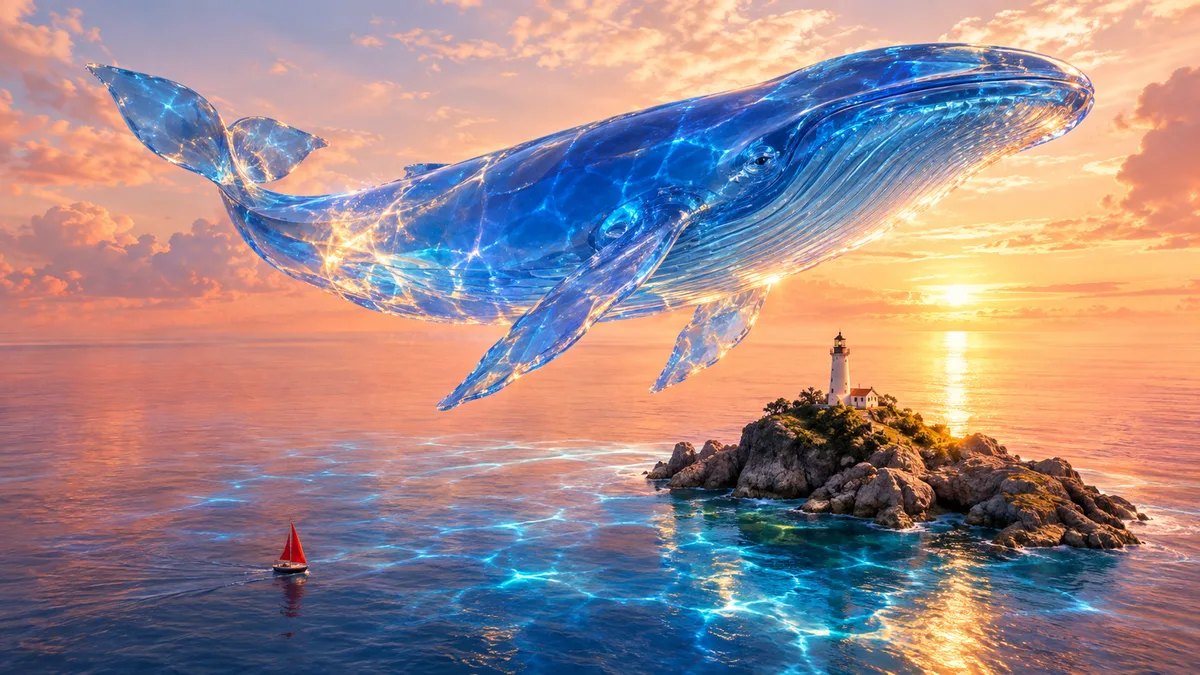
Imagine the impossible

Original prompt

An impossible yet photorealistic scene: a colossal translucent cobalt-blue glass whale floats weightlessly above a tiny white lighthouse on a rocky island in a peach-colored sea. Golden sunlight refracts through the whale and throws blue caustic patterns across the water. A tiny red sailboat gives a clear sense of scale. Sweeping wide cinematic composition, believable ocean details, dreamy calm atmosphere, rich coral and ultramarine palette. Landscape 16:9. No text, no watermark.

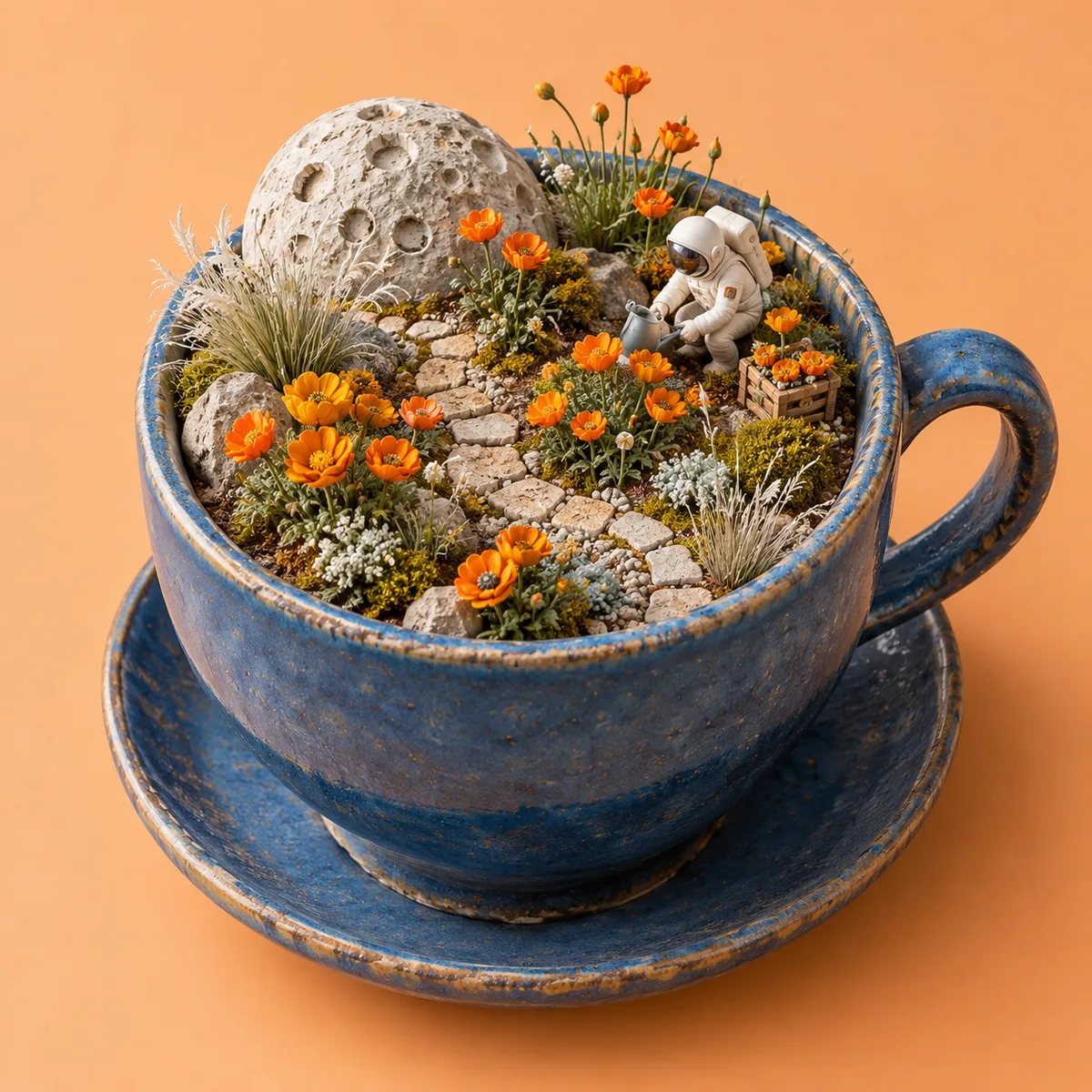
A tiny world, full of detail

Original prompt

An exquisitely detailed miniature moon garden inside an open blue ceramic teacup: tiny orange poppies, silver grass, a winding pale stone path and a miniature astronaut tending the flowers. Handmade clay and paper diorama aesthetic, beautiful tactile material detail, soft studio lighting, apricot background, isometric three-quarter view, playful sophisticated composition. Square 1:1. No text, no logo, no watermark.

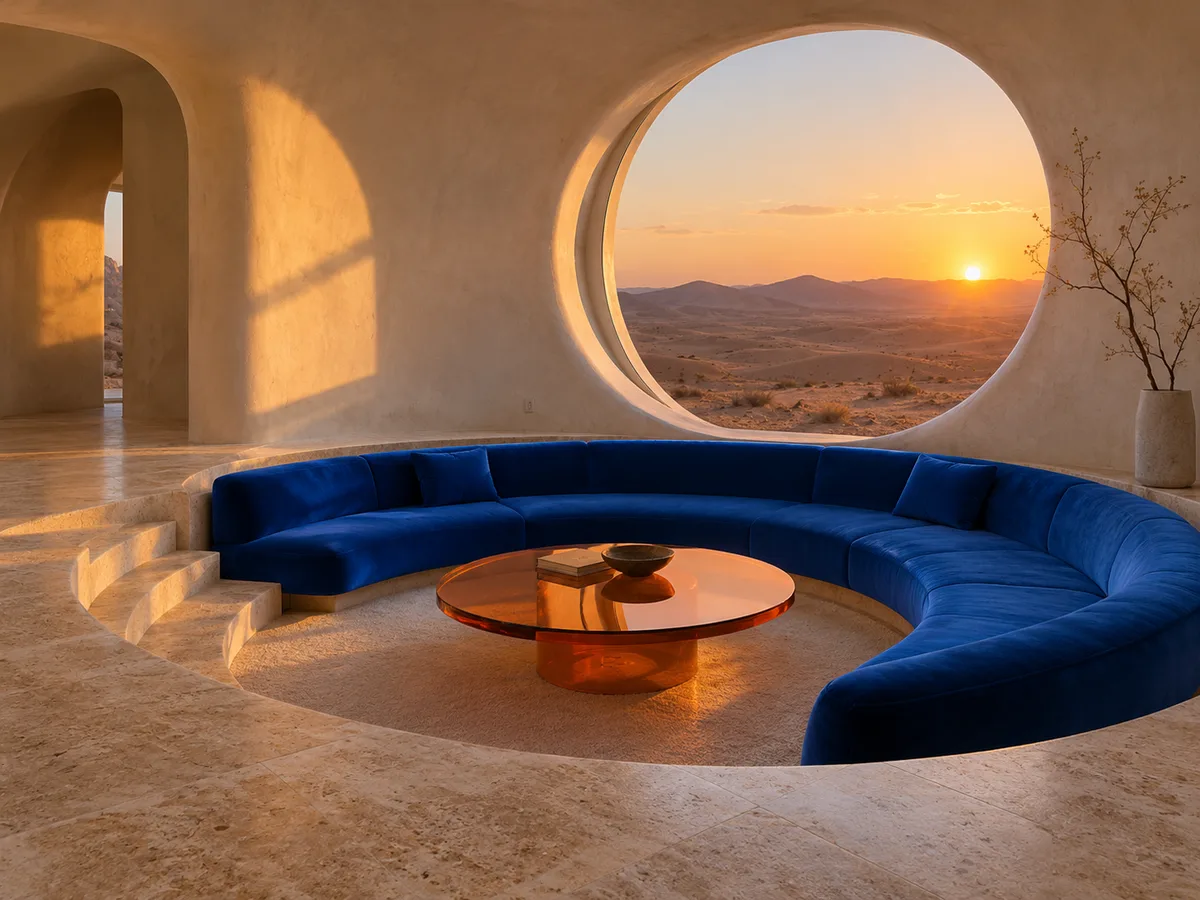
Give a space its own character

Original prompt

Architectural editorial photograph of a sunken conversation pit in a sculptural desert house. Curved ivory plaster walls, a cobalt-blue velvet crescent sofa, an orange glass coffee table, and a huge circular window framing sand dunes at sunset. Warm light grazing the walls, natural travertine floor, one minimalist branch arrangement. Distinctive but believable architecture, calm refined composition, tactile materials and accurate perspective. Landscape 4:3. No people, no text, no watermark.

Examples generated with Flare at 1K. Prompts and settings are included; each new generation can produce a different result.

From an idea to an image you can refine

Flare is OpenAI’s model for fast, high-quality everyday image generation. It accepts text and image inputs, making it useful for both new images and reference-led edits.

Describe a scene. Shape every detail.

Start with a subject, composition, palette, and mood. In DREAMMMER, the agent develops your request into an image prompt. Explore product visuals, campaign concepts, illustrations, or a place that only exists in your imagination.

A giant blue glass whale floats over a lighthouse and a peach-colored sea

Change the scene. Keep the product.

Upload a reference and describe what should change and what should stay. This example uses the studio image as a reference to move the same bottle to a coastal setting. Inspect the result for the details that matter to your project.

Keep creating in the same conversation

A follow-up can change the light, color, or atmosphere. Here, the coastal result becomes the reference for a warmer sunset version. The agent can use an earlier result as the starting point for your next edit.

  1. Cobalt-blue AURA perfume bottle with an orange on a sunlit travertine plinth

    01Studio original

    Original prompt

    Create a premium editorial product photograph of a single sculptural cobalt-blue glass perfume bottle with a brushed silver cylindrical cap and a small white label reading AURA. Place it on a pale travertine block, with one sliced orange and one curved green leaf beside it. Warm ivory studio background, hard afternoon sunlight, precise glass reflections, deep blue and citrus-orange color contrast, luxurious restrained art direction. Portrait 3:4 composition. No other text, no watermark.
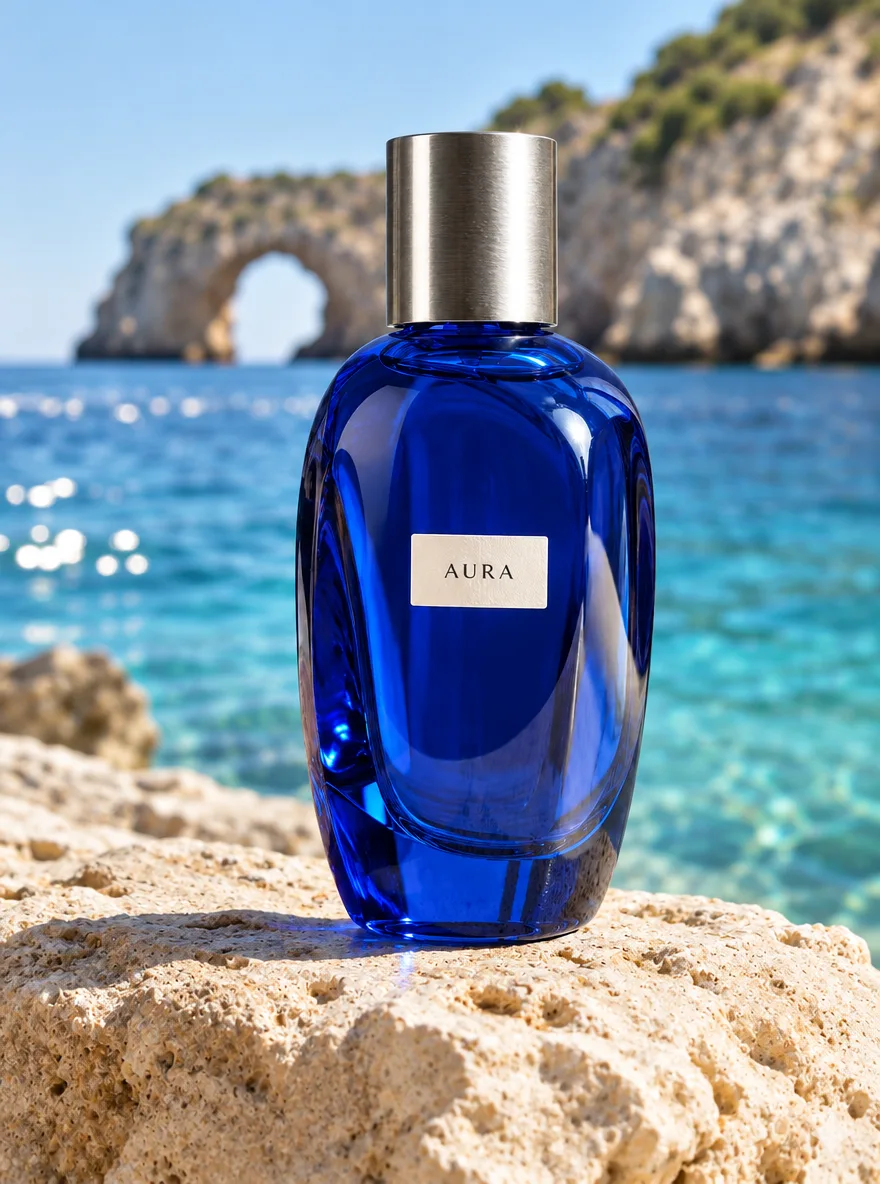
  2. The blue AURA bottle placed on limestone beside the Mediterranean sea

    02Move to the coast

    Original prompt

    Keep the exact cobalt-blue AURA perfume bottle, its silhouette, silver cylindrical cap, label and proportions from the reference image. Replace the studio background with a sunlit Mediterranean coast. Place the bottle on pale limestone beside clear turquoise water, with a distant softly blurred sea arch. Remove the orange and leaf. Keep a similar camera angle and portrait 3:4 framing. Realistic luxury product photography, crisp natural daylight, no added text or watermark.

  3. The same coastal perfume scene with warm golden-hour sunset lighting

    03Refine the lighting

    Original prompt

    Preserve the product, bottle shape, silver cap, AURA label, limestone surface, sea arch, framing and camera angle from the reference image. Change only the lighting and atmosphere to golden-hour sunset: a peach sky, warm rim light along the cobalt-blue bottle, gentle amber reflections on the water and longer soft shadows. Keep the label readable and the product recognizable. Photorealistic, portrait 3:4. No added objects, no watermark.

How to use GPT Image 2.5 Flare

Bring the idea. Your agent helps with the prompt, generation, and next edit.

  1. Describe or upload

    Use the composer above with Flare selected. Write what you want to make, upload a reference, or choose an example prompt.

  2. Let the agent create

    The agent interprets your request and calls Flare to generate or edit an image. You can choose the aspect ratio and resolution in the composer.

  3. Refine and download

    Review the result in Chat. Ask for a different background, lighting, or composition, then download the version you want to use.

GPT Image 2.5 Flare or Sunburst?

Two models in the GPT Image 2.5 family. Choose according to the kind of work you are making.

GPT Image 2.5 Flare or Sunburst?
FlareSunburst
Primary focusFast, high-quality everyday generationPrecision for detailed creative work
A useful starting point forSocial visuals, concept exploration, frequent iterationsDetailed campaign creative and polished product imagery
Text and reference-image creationAvailable in DREAMMMERAvailable in DREAMMMER

Positioning follows OpenAI’s published descriptions. End-to-end generation time varies with the request, settings, and service load. Read OpenAI’s model announcement

Try Sunburst in Chat

Image settings and credits

Choose the format for your project. These are DREAMMMER’s current Flare output rates, shared with the pricing page.

Portrait, square, or landscape

Choose Auto or a supported ratio such as 1:1, 3:4, 4:3, 16:9, or 9:16. Available combinations are shown in the composer.

Start from text or a reference

Describe a new image or upload reference images for an edit. The agent uses your instructions to decide what to generate and what to preserve.

GPT Image 2.5 Flare — Credits per image
Output resolutionCredits per image
1K25
2K45
4K70

Each generated or edited image uses credits. Revisions that create a new image are a new generation. Check the chosen settings before submitting.

View full pricing

GPT Image 2.5 Flare FAQ

A few things to know before you start creating.

What is GPT Image 2.5 Flare?

GPT Image 2.5 Flare is an OpenAI image model for fast, high-quality everyday image generation and editing. On DREAMMMER, you use it through a creative agent: describe your goal, add references if needed, and refine the results in Chat.

Do I need an API key or a ChatGPT subscription?

You do not need to bring an API key or a ChatGPT subscription to use Flare on DREAMMMER. Sign in to your DREAMMMER account and use the credits available in that account. DREAMMMER is a separate service from ChatGPT.

Can Flare edit an image I already have?

Yes. Sign in, upload a reference image, and explain the changes you want. Be specific about what should stay the same, such as the subject, product shape, or composition. Review the output and continue with a follow-up if needed.

How is Flare different from Sunburst?

OpenAI positions Flare around fast, high-quality everyday generation and Sunburst around precision in detailed creative workflows. Both are available in DREAMMMER. Use the comparison above as a starting point and assess results for your own task.

How much does Flare cost on DREAMMMER?

Flare uses 25 credits for a 1K image, 45 for 2K, and 70 for 4K. A new generation or image edit is charged according to its settings. See the pricing page for plans and credit packs.

How long does image generation take?

Flare is designed for faster image generation, but completion time depends on your request, resolution, and current service load. Follow the task status in Chat. A fixed completion time is not guaranteed.

Can I turn a Flare image into a video?

Yes, you can ask the DREAMMMER agent to use the image as a reference for a video in the same conversation. The video is generated by a compatible video model and uses separate credits; Flare itself generates images.

What happens if image generation fails?

When a generation task fails, the credits charged for that task are returned to your DREAMMMER account. If a task remains stuck or you need help, open its details in Chat or contact Support with the task information.

Your next idea, made with Flare.

Start with a few words. Keep creating with your agent.

Create with Flare