Nano Banana 2 AI Image Generator

Explore visual ideas with Nano Banana 2, Google’s Gemini 3.1 Flash Image model.

Made with Nano Banana 2

Original examples generated with this model. Open an example to see its prompt and output details.

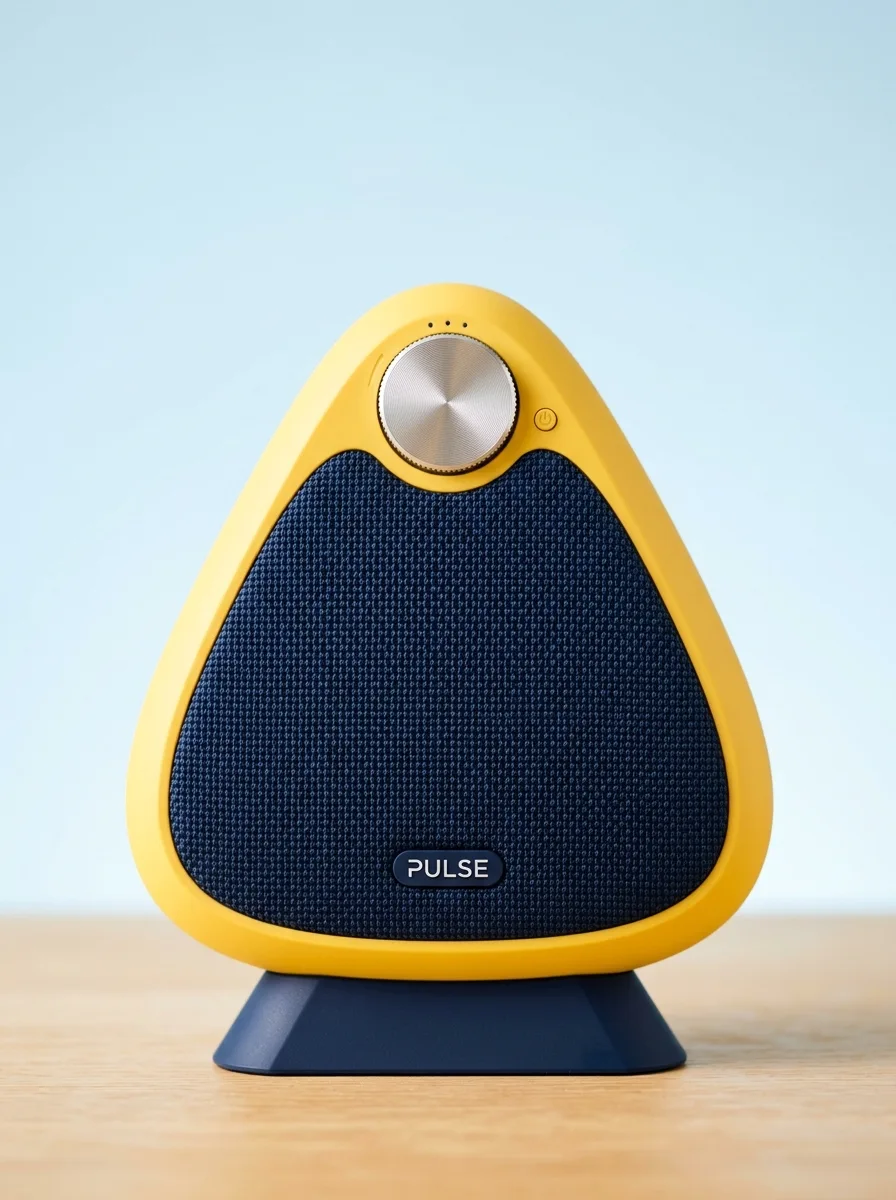
Yellow speaker studio

Nano Banana 2 · 896 × 1200

Prompt

A joyful studio product photograph of a sculptural sunshine-yellow wireless speaker with a dark navy woven grille and small readable label PULSE. Rounded triangular silhouette, brushed silver volume wheel, navy geometric plinth against pale sky blue. Punchy but soft light, realistic fabric detail, modern approachable consumer design. Full composition, no border, no watermark.


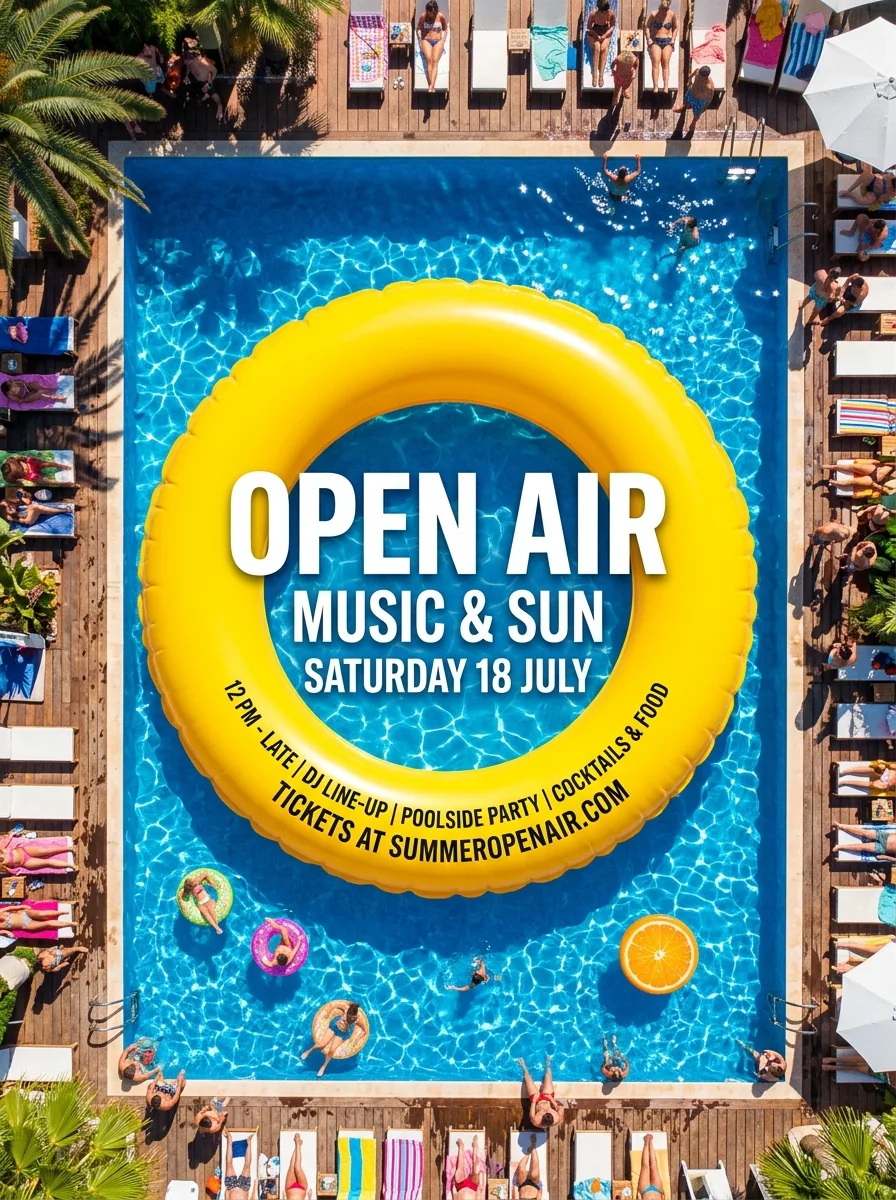
Open air poster

Nano Banana 2 · 896 × 1200

Prompt

Design a lively summer event poster with the exact headline OPEN AIR, and smaller lines MUSIC & SUN and SATURDAY 18 JULY. A bright yellow inflatable ring frames a deep blue swimming pool seen from above. Bold editorial type, clean hierarchy, vivid sunlight and crisp shadows, playful polished advertising. Full composition, no border, no watermark.

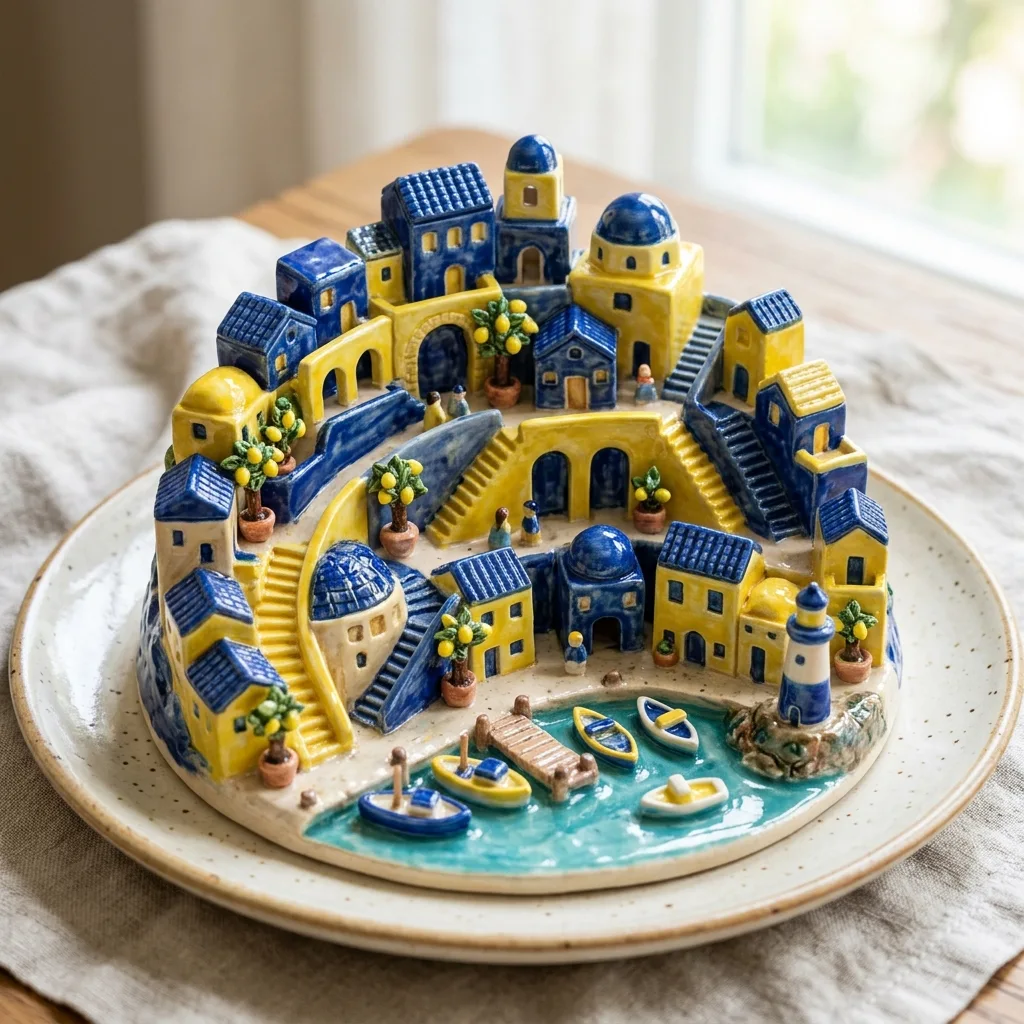
Ceramic city

Nano Banana 2 · 1024 × 1024

Prompt

A tiny Mediterranean city made entirely of glossy blue and lemon-yellow ceramic sits on a round cream plate. Miniature arches, staircases, lemon trees and a tiny harbor. Handmade glaze imperfections, macro studio photography, joyful sophisticated composition, clear architectural silhouettes. Full composition, no border, no watermark.

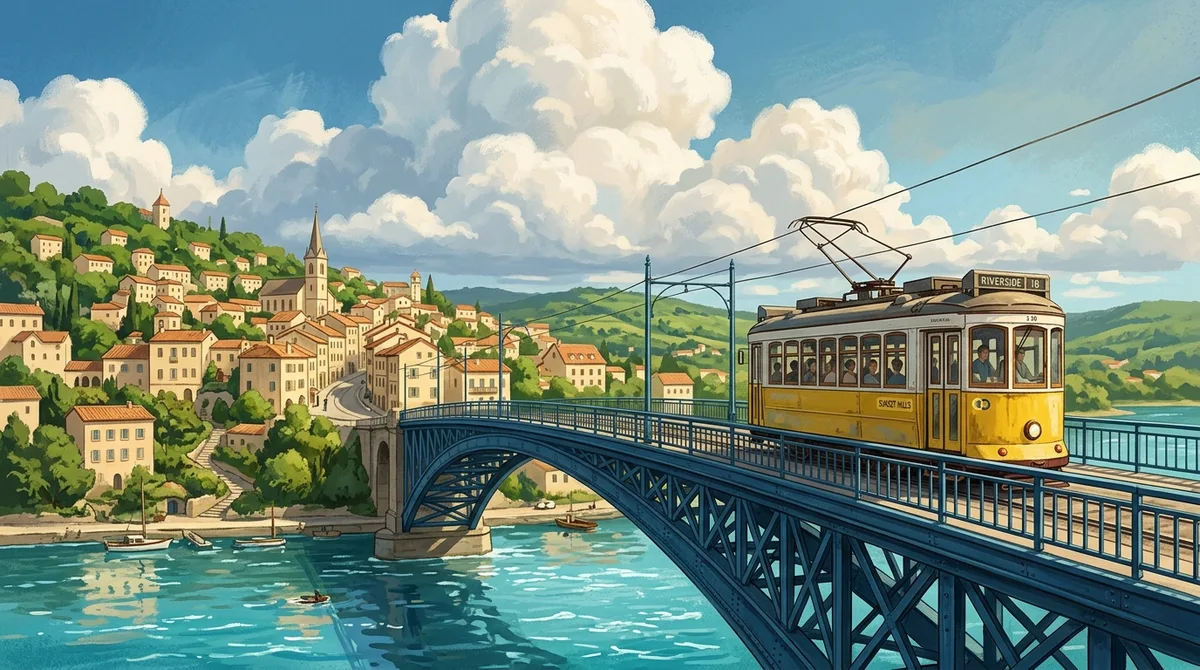
A tram in yellow

Nano Banana 2 · 1376 × 768

Prompt

A lemon-yellow vintage tram crosses an elegant deep-blue steel bridge above a turquoise river, with enormous soft clouds and a warm cream hillside town beyond. Original cinematic travel illustration with realistic light, sweeping leading lines, delicate surface detail and a hopeful summer atmosphere. Full composition, no border, no watermark.

What you can create

Explore visual ideas with Nano Banana 2, Google’s Gemini 3.1 Flash Image model. Move from a product concept to a poster or a playful environment, and keep revising with the same agent. Use these original examples as practical starting points for your own brief.

Iterate on a recognizable subject

The yellow speaker gives each scene a simple visual anchor. Start with its form, surface, and label, then explore different surroundings. When a particular result works, attach it as the reference for the next change.

Text within a visual composition

A summer poster needs both an image and a readable headline. Specify the exact words, relative size, and empty space around them. Inspect the generated lettering before publication, even when the overall composition looks convincing.

Color-led world building

Ceramic architecture and a yellow tram explore how a limited palette can connect otherwise different subjects. Describe the dominant color, the contrasting accent, and the quality of light. Reuse these instructions when developing a small family of visuals.

One image, three creative decisions

Each revision uses the previous result as its reference. Compare what changes and what stays recognizable.

Original image
Original image
Prompt

A joyful studio product photograph of a sculptural sunshine-yellow wireless speaker with a dark navy woven grille and small readable label PULSE. Rounded triangular silhouette, brushed silver volume wheel, navy geometric plinth against pale sky blue. Punchy but soft light, realistic fabric detail, modern approachable consumer design. Full composition, no border, no watermark.

A new setting
A new setting
Prompt

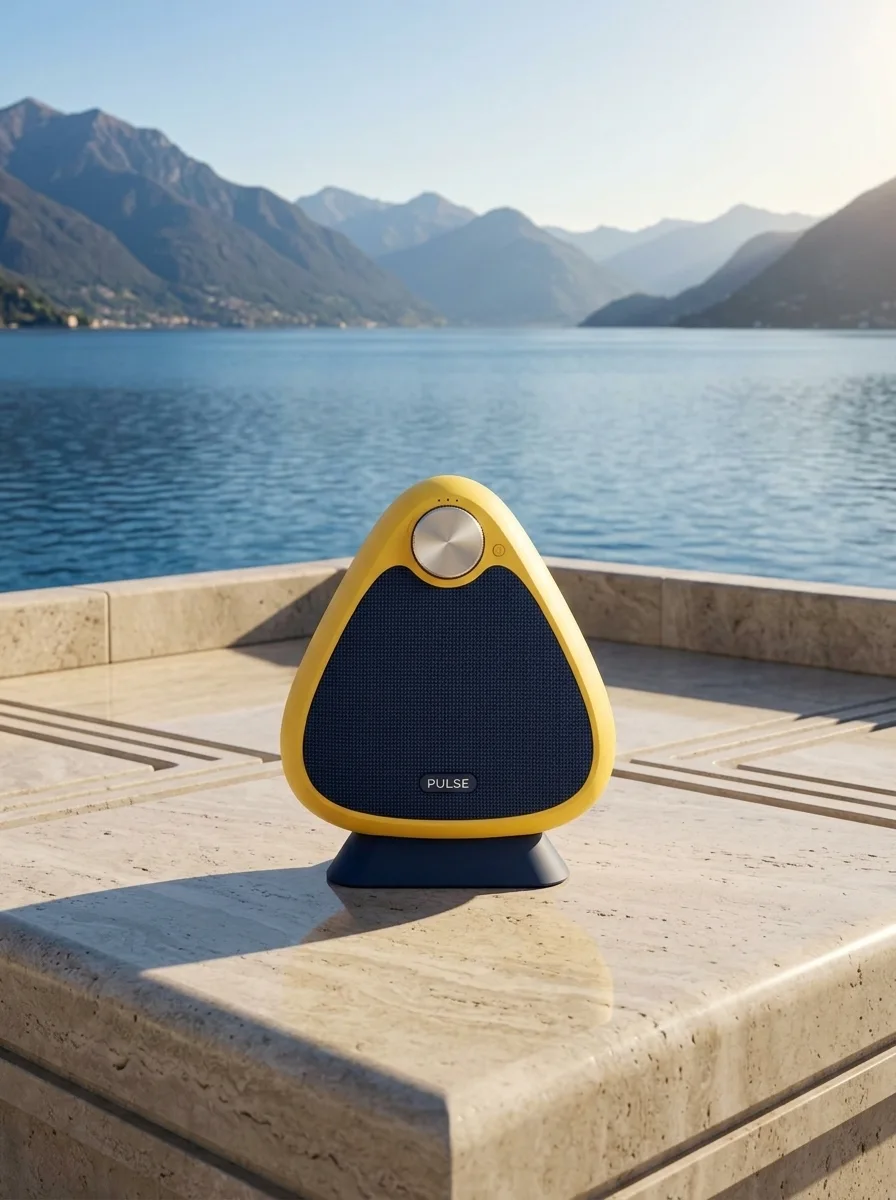
Use the supplied image as the product reference. Preserve the exact product silhouette, construction, colors, logo and readable label. Replace only the setting with a sunlit sculptural stone terrace overlooking a calm blue lake and distant mountains. Keep a similar camera angle, realistic scale and the complete product in frame. Premium commercial photography, precise natural shadows and coherent reflections. No extra text, no watermark.

A new time of day
A new time of day
Prompt

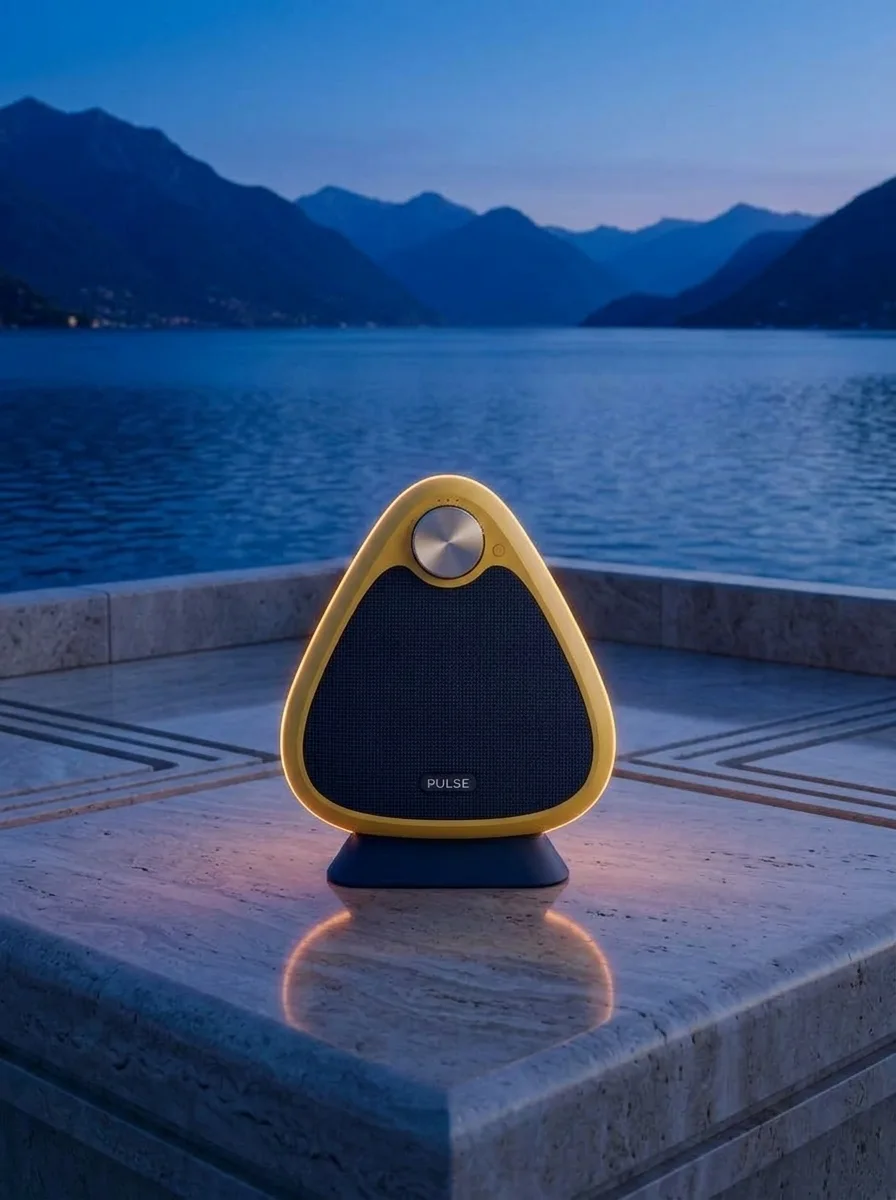
Use this result as the reference for one more edit. Preserve the exact product, label, shape, surface, lake, mountain background and camera composition. Change the daylight to a refined blue-hour mood with a warm amber rim light on the product and subtle warm reflections. Keep the important details legible and the product recognizable. No added objects or text, no watermark.

To reproduce an edit, attach the previous image as a reference along with the displayed prompt.

How to create with Nano Banana 2

  1. Describe the result

    Tell the agent the subject, composition, and intended use. Add a reference when the selected model supports it, and say which details should be preserved.

  2. Choose your settings

    This page starts with the featured model selected. Review the aspect ratio, available output size, and credit estimate. For video, also choose a duration that fits the action.

  3. Review and keep creating

    Open the completed work and inspect the details. Continue in chat with a specific revision, or download a result you want to use. Check visible text and listen to generated sound before publishing.

Settings and credits

These are the settings connected in DREAMMMER. The table shows output credits without reference inputs; your composer estimate includes the inputs and settings of the actual request. Try images at 1K for free. 2K and 4K require paid access; actual dimensions depend on model and aspect ratio.

OutputCredits
1K · per image35
2K · per image50
4K · per image75

Frequently asked questions

How is Nano Banana 2 different from Pro?

Google’s Nano Banana 2 uses Gemini 3.1 Flash Image, while Nano Banana Pro uses Gemini 3 Pro Image. Compare them on the same brief when choosing a balance of iteration, detail, and the credit rates shown here.

Can I keep a character or product consistent?

Use a reference image and identify the defining features. Keeping the subject and the requested changes explicit helps the model, but it does not guarantee identical details across outputs.

Can I choose the output size?

Yes. The available resolution options are listed below and in the composer. Choose the size for your intended use, and check the displayed credit estimate before submitting.

Do I need an account to create?

You can explore the page and prepare your prompt first. Sign in when you are ready to generate; the creative draft and selected model carry into the sign-in flow. Generation uses your available credits or eligible plan allowance.

Model information: Nano Banana 2

Your next idea, made with Nano Banana 2.

Start with a few words. Keep creating with your agent.

Create with Nano Banana 2