Product photography
One studio shot becomes a kitchen, a desk, a beach and a marble counter without a second shoot.
 DREAMMMER
AI photo tool
Keep the person or product exactly as photographed and swap only the scene. Lighting, shadows and color are matched so the result looks shot on location.
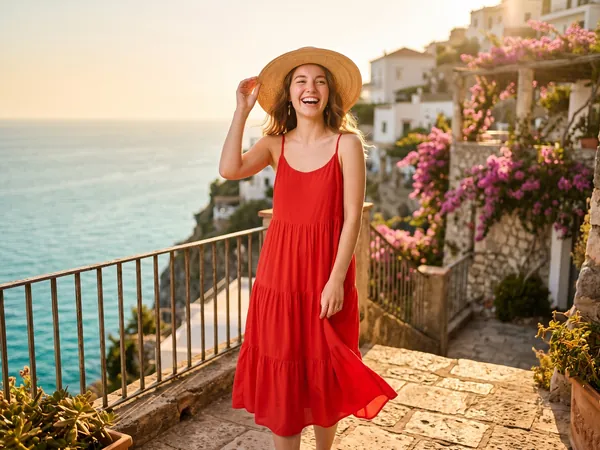
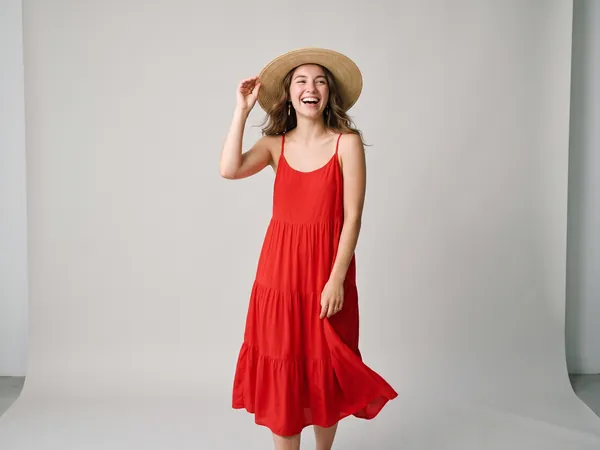
Drag the handle to compare the original with the result.
Drag a JPEG, PNG or WebP into the tool, or try the built-in sample first.
There is at most one option to pick. No prompt to write, no settings to learn.
The result lands in a chat with the Agent. Ask for a tweak, a variation or a completely different look in plain words.
One studio shot becomes a kitchen, a desk, a beach and a marble counter without a second shoot.
Swap a messy room for an office, a neutral gradient or a brand color.
Put the same subject in a different season, city or mood for each campaign.
A short sentence is enough: "a sunlit Mediterranean terrace", "a plain light-grey studio wall", "a rainy Tokyo street at night". Mention the light if it matters to you.
The instruction keeps the subject where it is, at the same size, with the same pose, clothing and details, and only adjusts lighting so it fits the new scene.
7 credits per edit. New accounts start with 50 free credits.
The remover gives you a transparent PNG to use elsewhere. The changer paints a complete new scene behind the subject and relights it, so you get a finished photo.
Yes. After the first result opens in chat, ask the Agent for three variations or a different scene and it will generate them from the same original.