Social formats
The same photo for a 9:16 story, a 1:1 post and a 16:9 cover without awkward crops.
 DREAMMMER
AI photo tool
Pick the frame you need and the AI paints what lies beyond the edges: more sky, more street, more table, matching perspective and light.
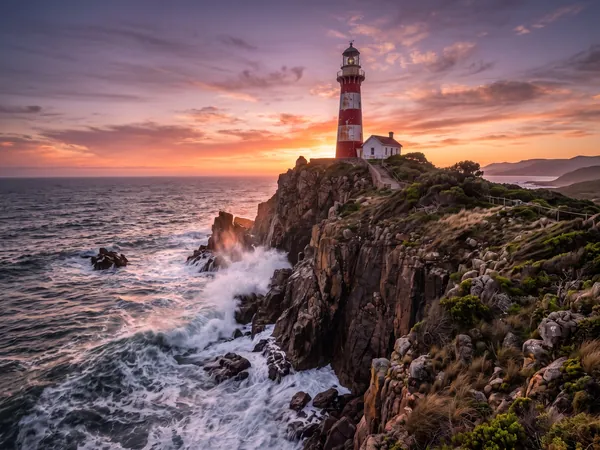
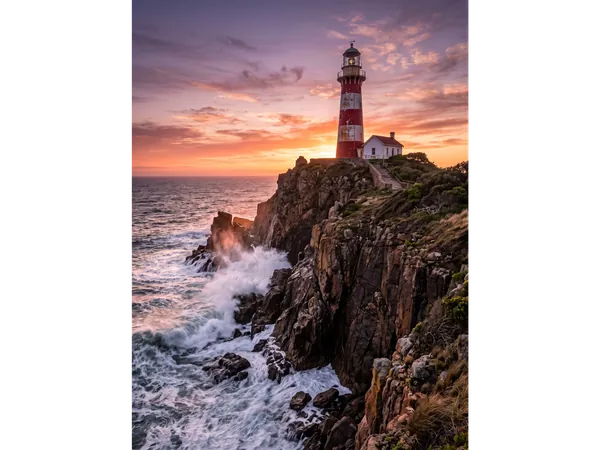
Drag the handle to compare the original with the result.
Drag a JPEG, PNG or WebP into the tool, or try the built-in sample first.
There is at most one option to pick. No prompt to write, no settings to learn.
The result lands in a chat with the Agent. Ask for a tweak, a variation or a completely different look in plain words.
The same photo for a 9:16 story, a 1:1 post and a 16:9 cover without awkward crops.
Widen a portrait or a square product shot to fill a website header or a video thumbnail.
Give a cramped composition breathing room by adding space around the subject.
16:9 wide, 9:16 tall and 1:1 square. For another size, run it to the closest ratio and then crop in the chat.
No. The instruction keeps the original content exactly as it is and only continues the scene beyond its edges.
7 credits per image. New accounts start with 50 free credits.
A continuation of what is already there: the same wall, floor, sky or street, in the same perspective and light. It will not add new people or objects unless you ask for them in the chat.
Yes. Expand first, then remove an object or change the background in the same chat, or upscale the final frame for print.