Family archives
Grandparents, weddings and childhood prints that have faded, cracked or yellowed in an album.
 DREAMMMER
AI photo tool
Scan or photograph an old print and the AI removes the damage, sharpens faces and brings back realistic color, without changing who is in the picture.
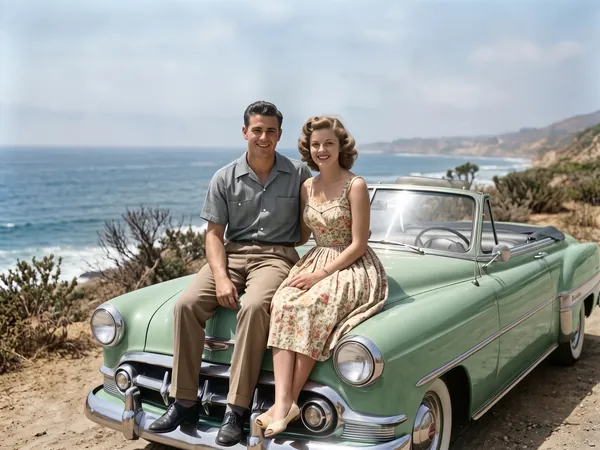
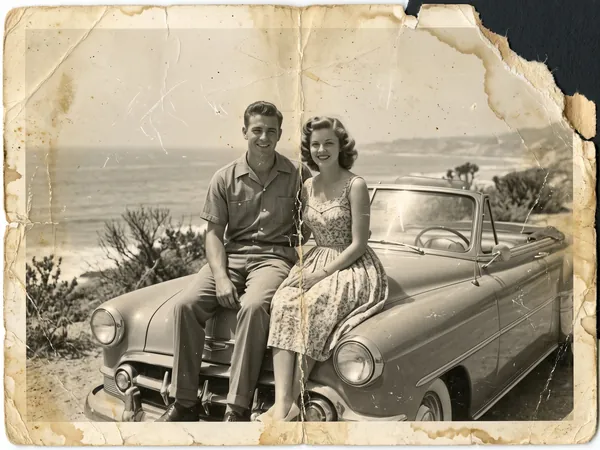
Drag the handle to compare the original with the result.
Drag a JPEG, PNG or WebP into the tool, or try the built-in sample first.
There is at most one option to pick. No prompt to write, no settings to learn.
The result lands in a chat with the Agent. Ask for a tweak, a variation or a completely different look in plain words.
Grandparents, weddings and childhood prints that have faded, cracked or yellowed in an album.
A clean, colored portrait for a service, a slideshow or a framed print.
Class photos, team pictures and archive scans that need to be readable again.
Yes. The restoration keeps the same people, poses and composition and does not zoom or crop. It repairs damage and recovers detail rather than generating a new face.
The one-click tool also colorizes. If you want it monochrome, say so in the chat after the result arrives and the Agent will redo it without color.
A flatbed scan at 300 dpi or more is best. A phone photo also works: shoot straight on, in even light, with no flash and no glare.
7 credits per photo. New accounts start with 50 free credits.
Missing areas are rebuilt from the surrounding content. Small gaps come back convincingly; a large missing region is the AI's best guess, so check it before printing.