Make a drawing look real
A pencil or pen sketch becomes a realistic photo with real light, materials and depth, while the shapes and the layout stay where you drew them.
 DREAMMMER
Sketch to image AI
Take a photo of a pencil sketch, a doodle, your kid's drawing or a rough product or room sketch, upload it and say what it should become. In about 30 seconds to a minute the agent makes a new picture that aims to keep your shapes, layout and colors. Most images cost 7 credits at 1K (about $0.16), the price shows before you send, new accounts start with free credits, and a failed run is refunded.
Real runs in DREAMMMER. Each card shows the drawing that was uploaded, the words typed with it, what stayed and what changed.
Drawing
Realistic photo
Plush toy
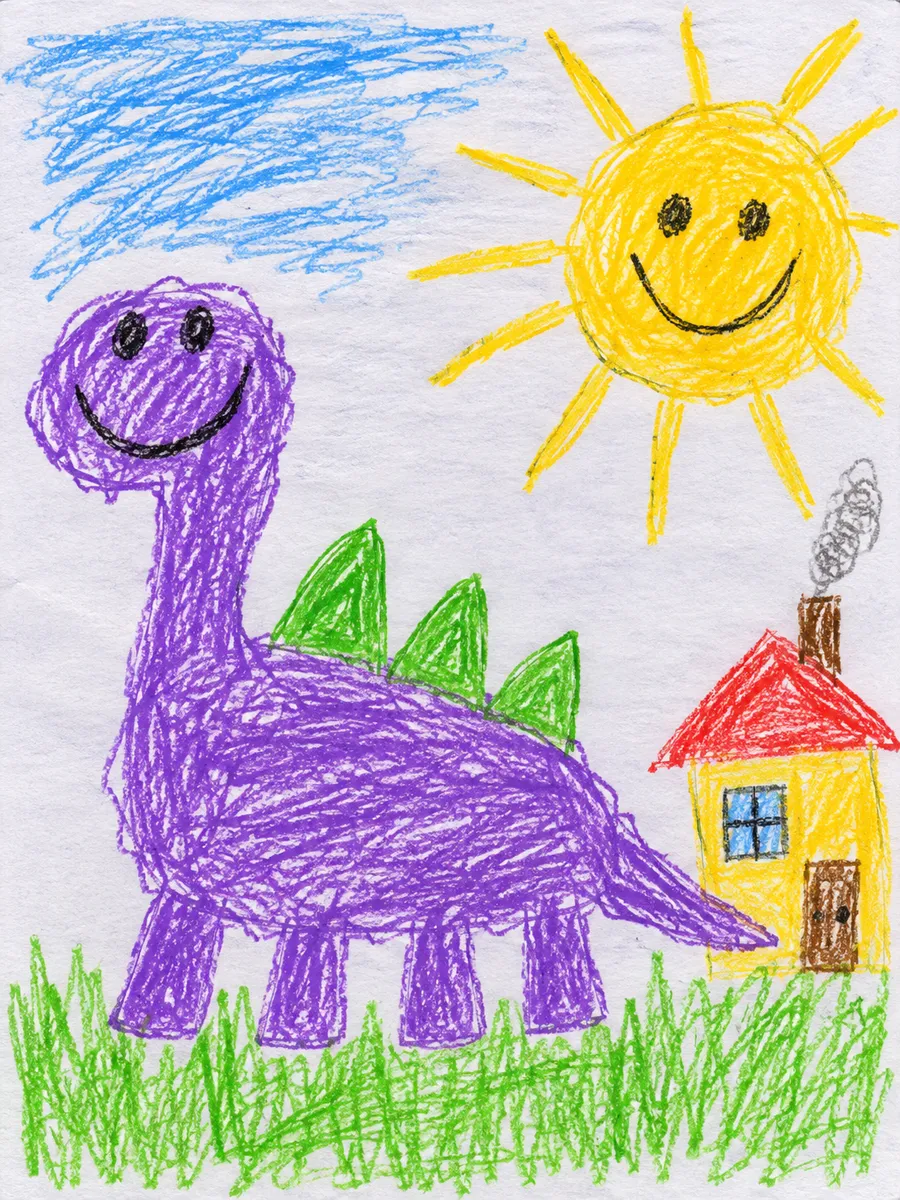
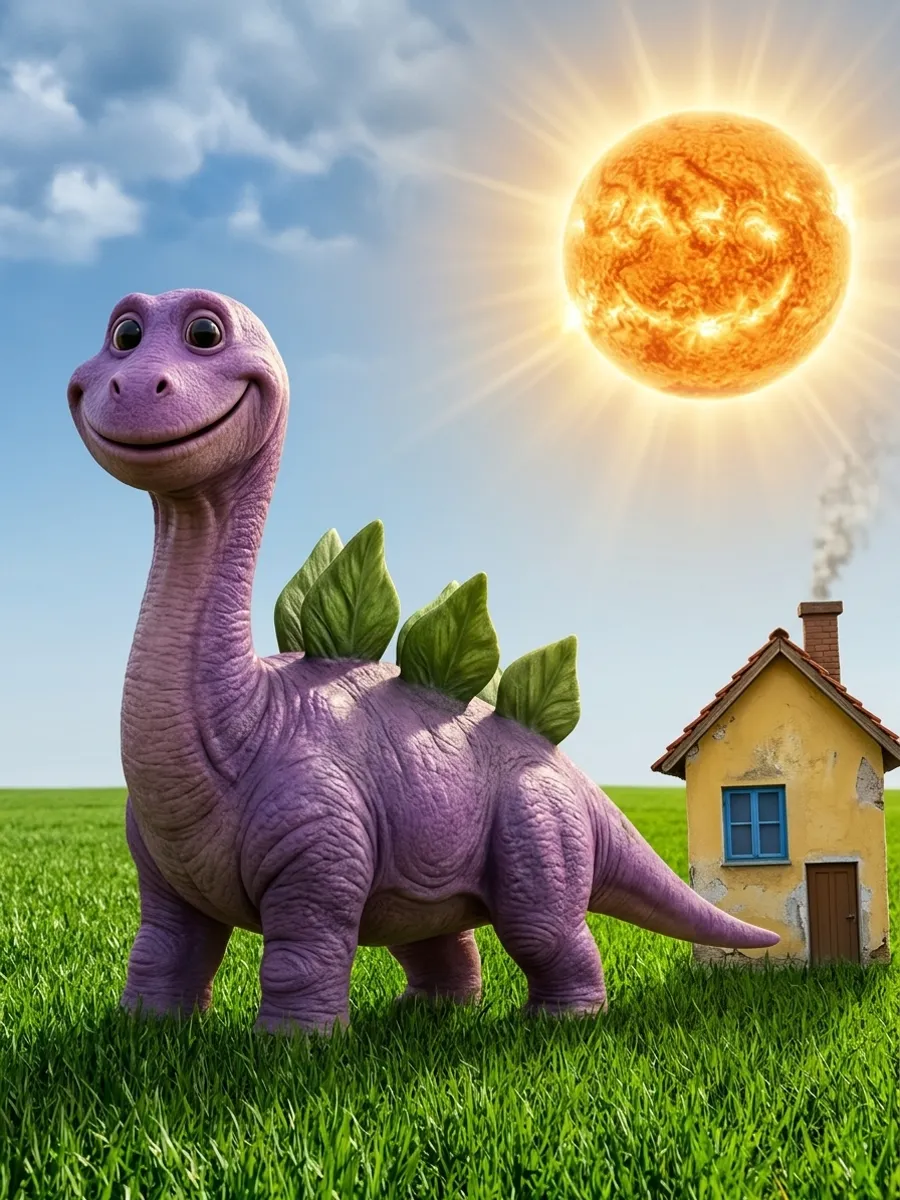
Kid's drawing to realistic photo · Nano Banana 2.1 · 7 credits · about 30 seconds
Request: Turn my kid's drawing into a realistic photo. Keep everything the way it is drawn: the purple dinosaur with its four stubby legs, long neck, big smile and three green spikes, the smiling yellow sun and the little house with the red roof. Make it look like a real photo taken outside on a sunny day.
Kept: the dinosaur's purple color, long neck, four stubby legs, smile and green spikes, and the yellow house with its red roof. Changed: the smiling crayon sun became a real sun without a face, and the spikes came out looking like leaves.
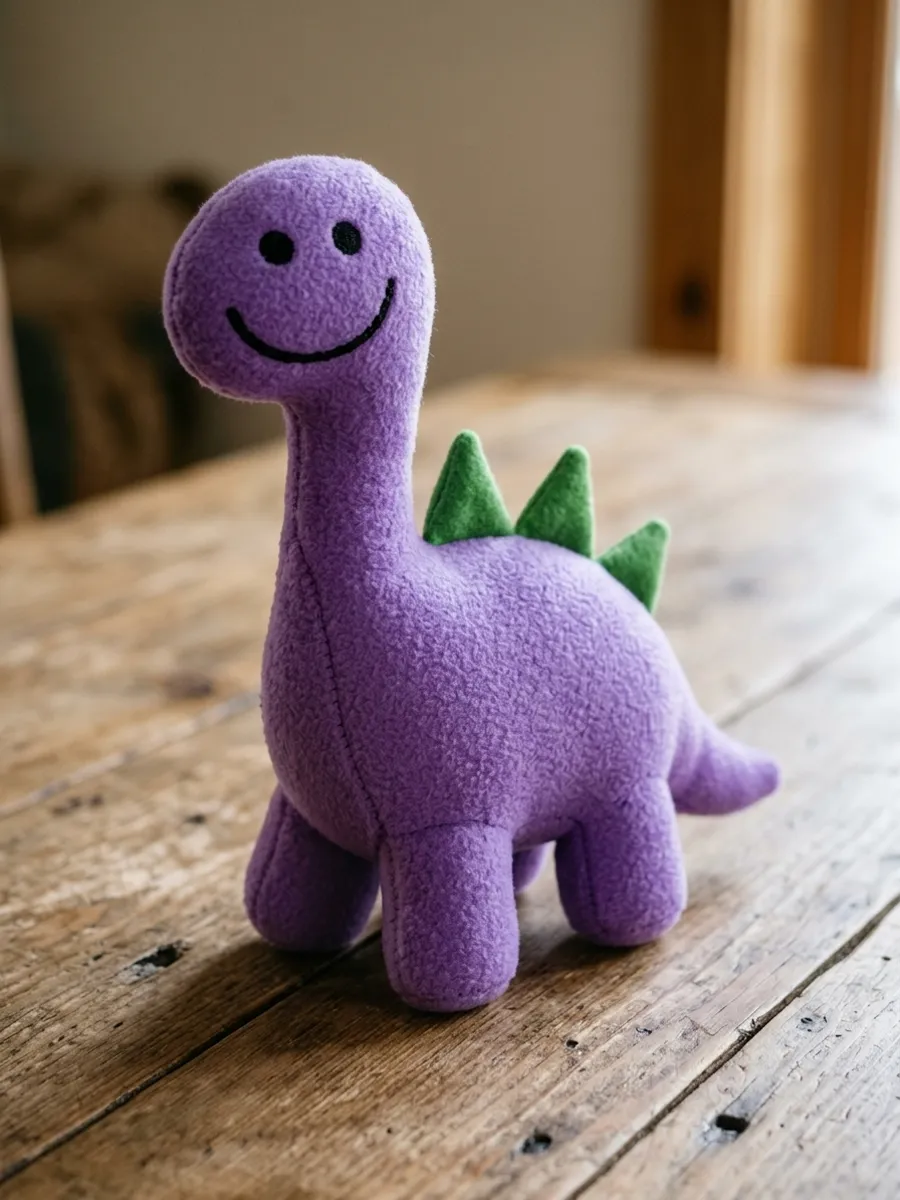
The same drawing as a plush toy · Nano Banana 2.1 · 7 credits · about 30 seconds
Request: Turn my kid's drawing into a soft plush toy photographed on a wooden table. Keep the purple dinosaur exactly as drawn, with its four stubby legs, long neck, big smile and three green spikes.
Kept: the purple color, long neck, four stubby legs, stitched smile and three green spikes. Changed: the crayon dinosaur became a soft plush toy on a wooden table, and the sun and house were left out.
Drawing
Result
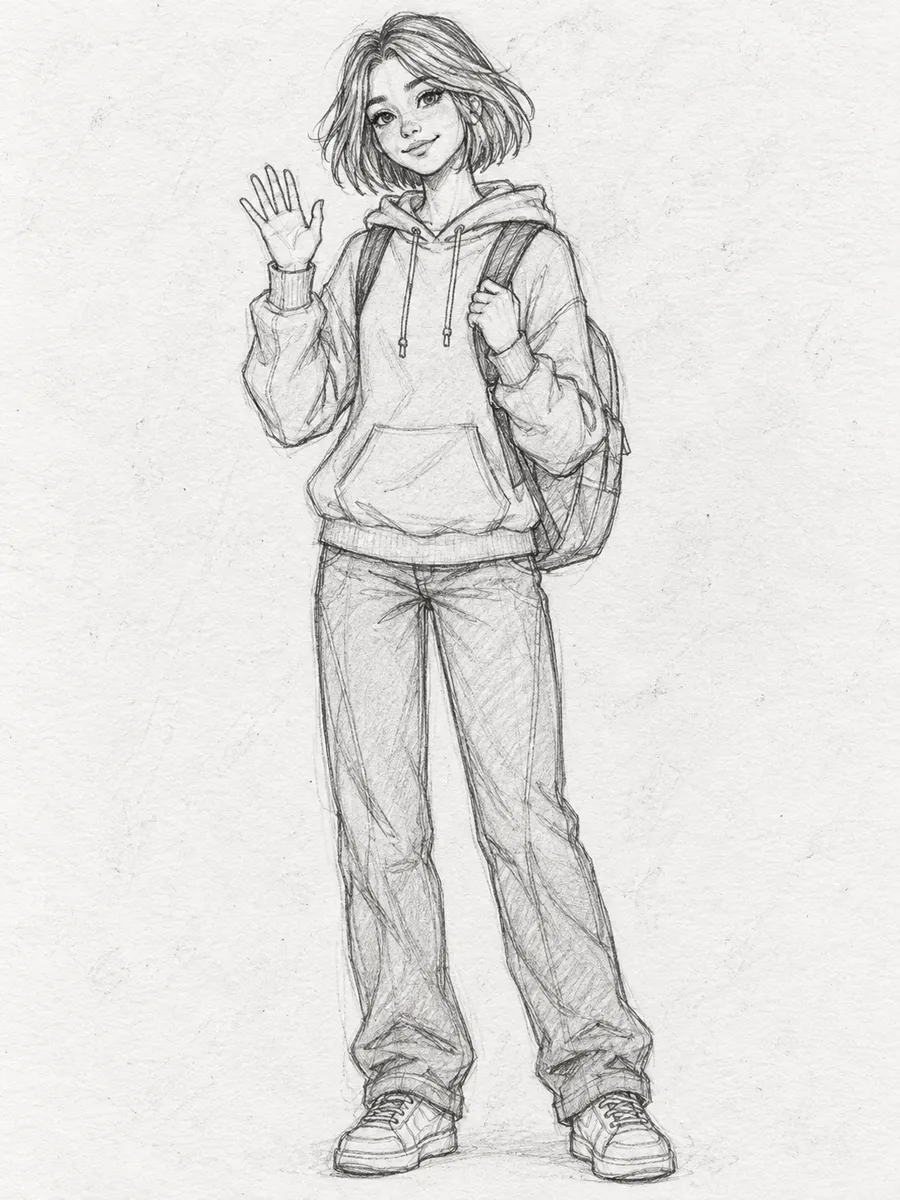
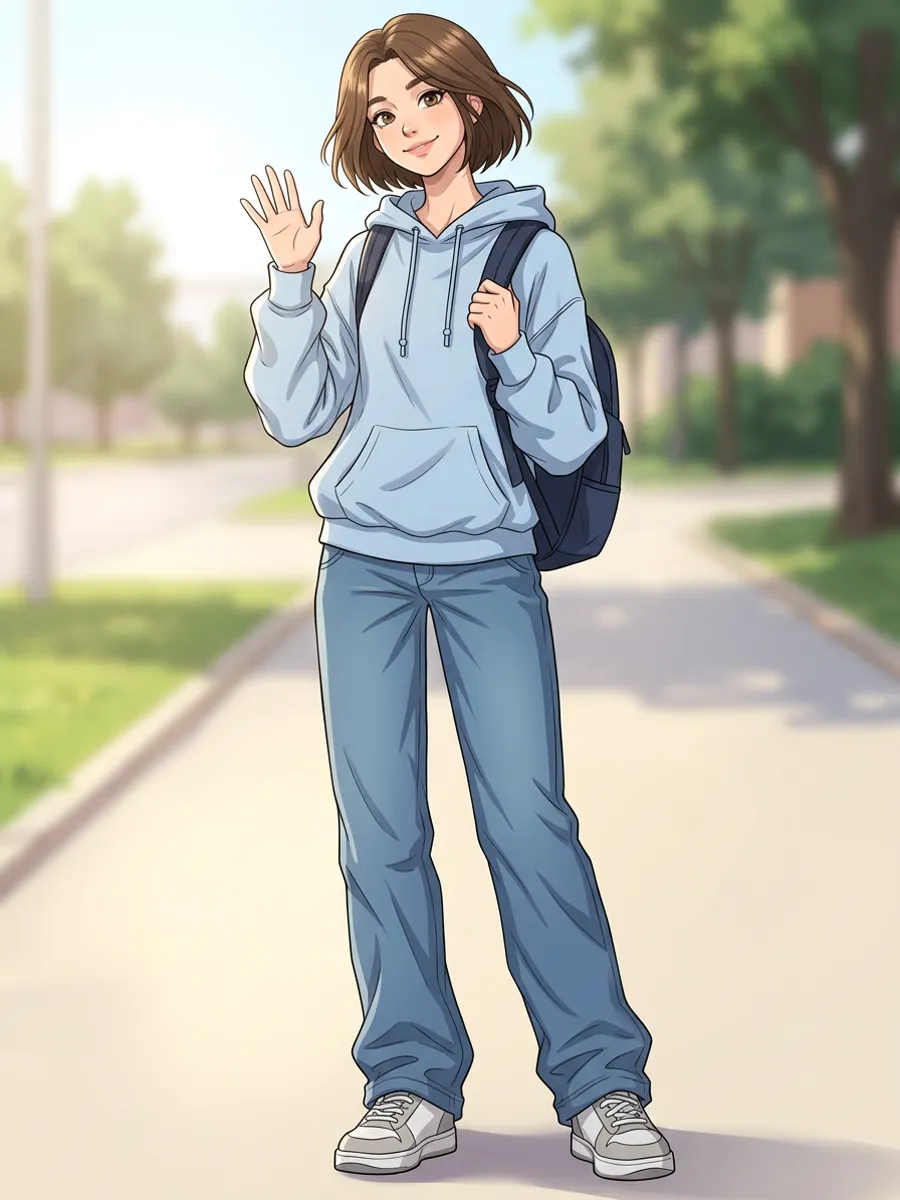
Pencil sketch to anime · Nano Banana 2.1 · 7 credits · about 60 seconds
Request: Turn my pencil sketch into a colored anime illustration with clean line art and soft shading. Keep the same girl, haircut, hoodie, backpack and waving pose.
Kept: the girl's bob haircut, hoodie, backpack, loose jeans and waving pose. Changed: clean line art and color, and a sunny park path behind her.
Drawing
Result
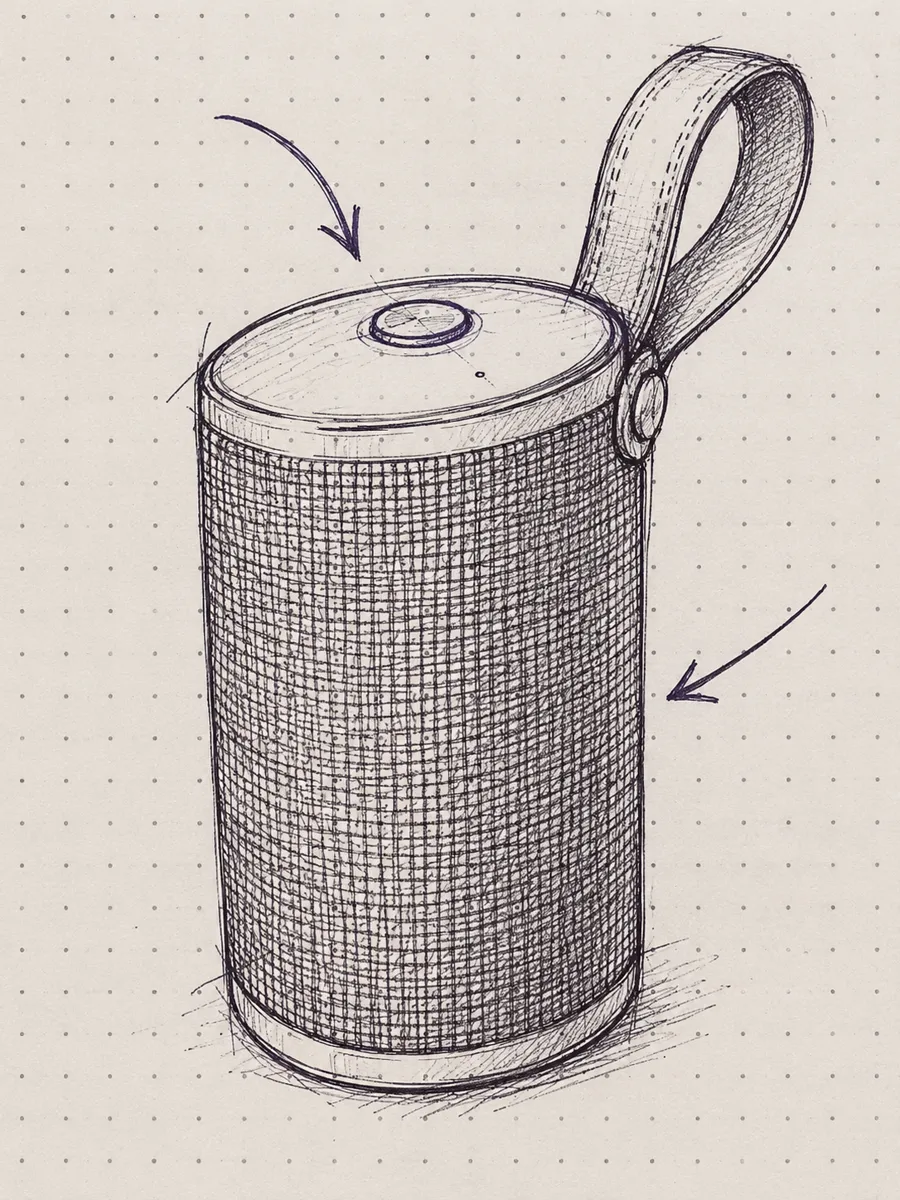
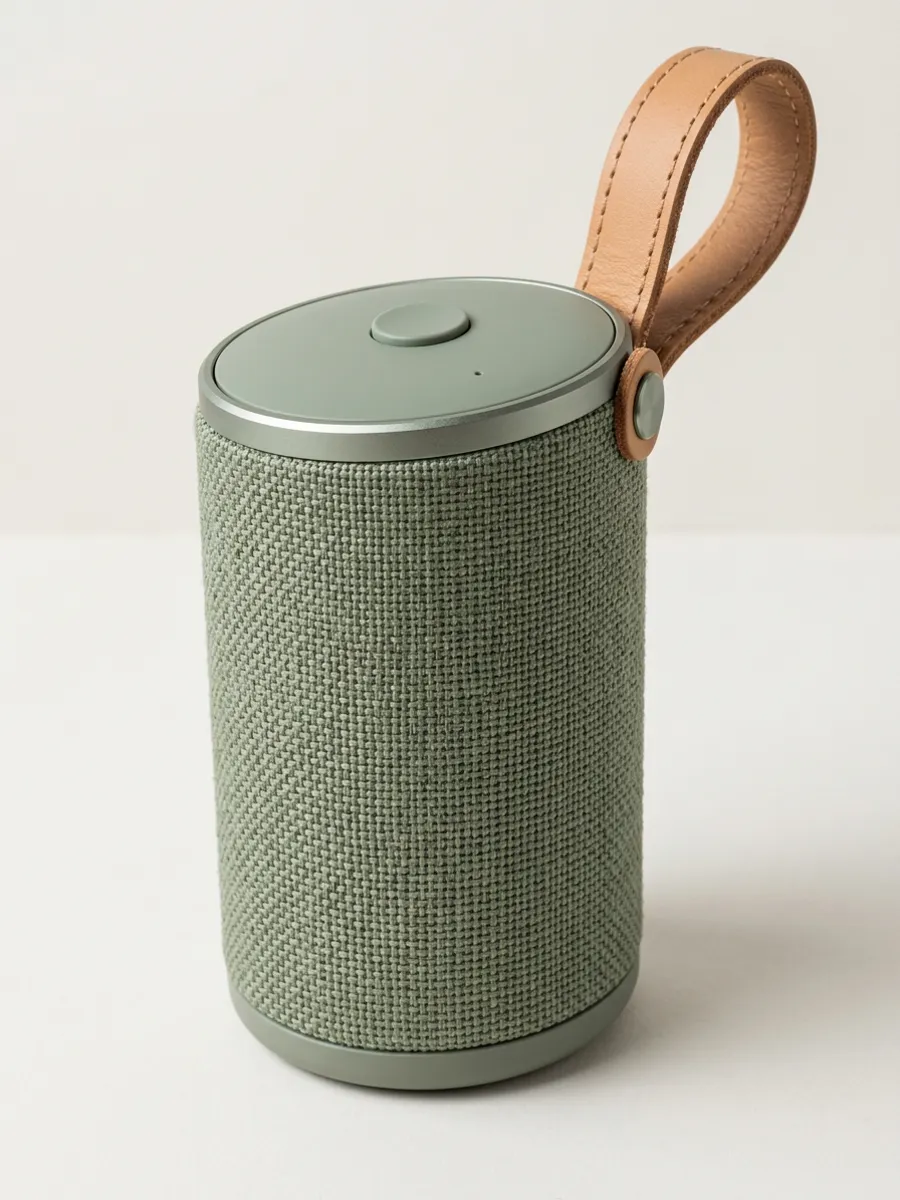
Product sketch to studio photo · Nano Banana 2.1 · 7 credits · about 60 seconds
Request: Turn my rough sketch into a realistic studio product photo. Keep the same cylindrical shape, fabric grille, leather strap and round button on top, in sage green fabric and tan leather, on a plain light background. Leave out the arrows.
Kept: the cylinder shape, fabric grille, leather loop strap and round button on top. Changed: sage green fabric and tan leather as asked, a plain studio background, and the arrows are gone.
Drawing
Result
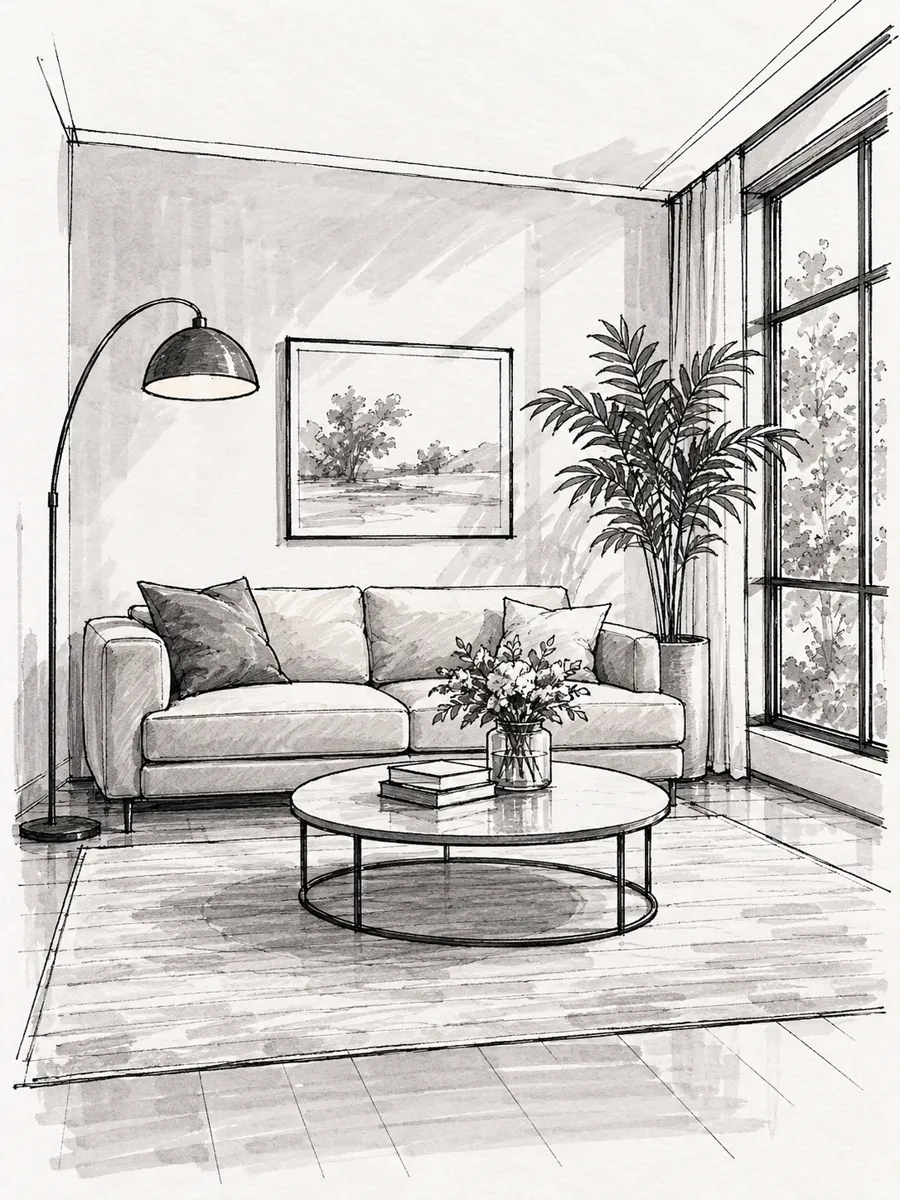
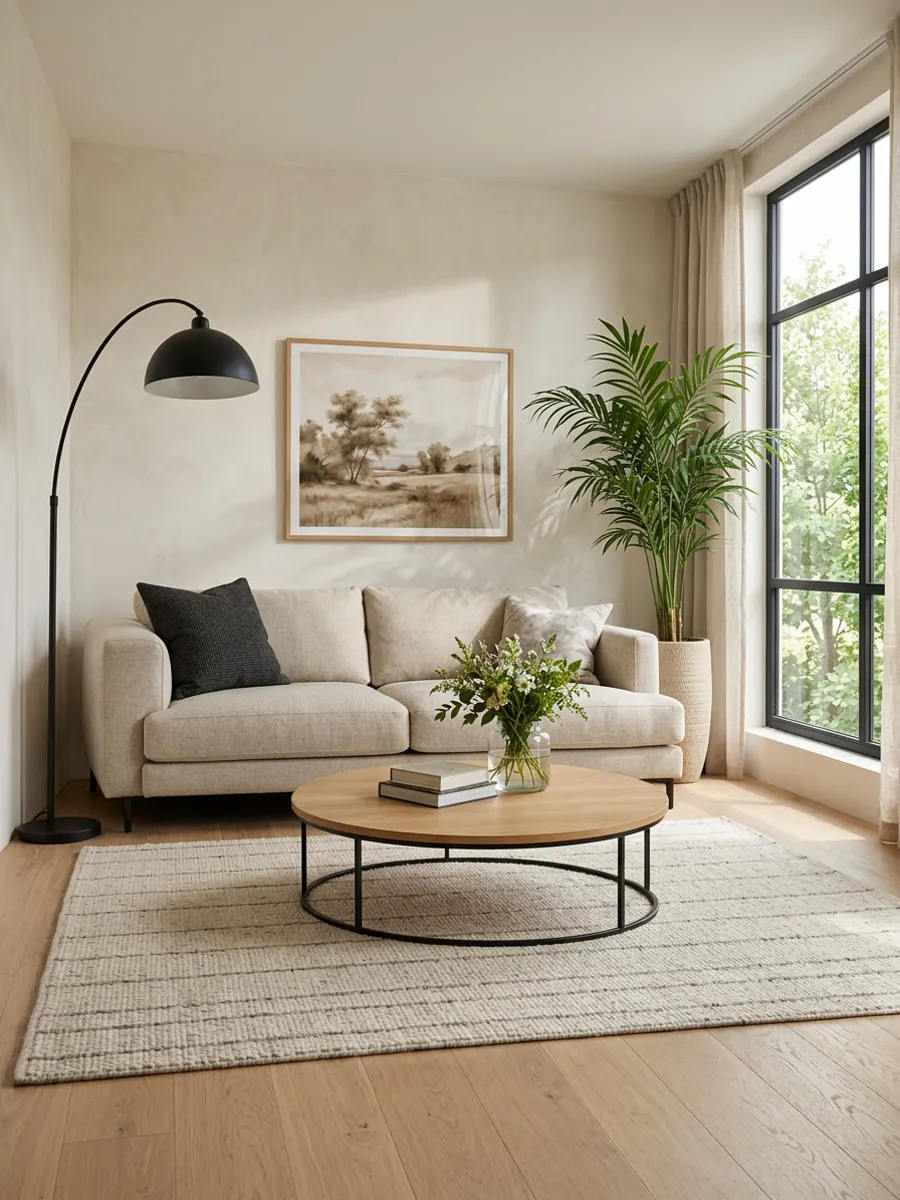
Room sketch to real room · Nano Banana 2.1 · 7 credits · about 80 seconds
Request: Turn my sketch into a realistic photo of the room. Keep the same layout: the low sofa against the back wall, the tall window on the right, the round coffee table, the floor lamp and the plant in the corner. Warm Scandinavian style, daylight.
Kept: the layout: the arc floor lamp on the left, the sofa against the back wall, the framed picture, the round coffee table, the plant and the tall window on the right. Changed: a wood floor, a beige sofa and daylight in a warm Scandinavian style.
The drawings in these examples were made with AI for this page, so no child's or customer's artwork is shown. Each result is a real 1K run in DREAMMMER on Nano Banana 2.1; the credits and times are from those runs. Every result is redrawn, not traced, so check shapes, faces and small details before you use it.
A pencil or pen sketch becomes a realistic photo with real light, materials and depth, while the shapes and the layout stay where you drew them.
Turn a crayon dinosaur, monster or house into a realistic photo, a plush toy or a 3D cartoon. Ask to keep the odd proportions; they are what make it theirs.
Redraw a pencil sketch as anime, cartoon, watercolor, comic or a 3D render while the character, the pose and the composition stay the same.
Turn a rough product, furniture or room sketch into a realistic picture to share with a client, a maker or friends. It is a picture, not a measured design, so check sizes and details.
Shoot it flat, in even light, with the paper filling the frame, then upload it in the chat box. JPEG, PNG or WebP, up to 16 MB.
For example: turn my kid's drawing into a plush toy, keep the four legs, the smile and the green spikes. Naming what to keep is how you control how closely the result follows your lines.
Ask for a change, such as keep the smiling sun or make it more realistic. Earlier versions stay in the chat, and each new version is charged as a new image.
List the parts to keep, such as four legs, a red roof or the strap on the left. Anything you do not name may be redrawn.
Realistic photo, plush toy, anime, 3D cartoon or studio product photo. A bold target gives a clear change; a vague one can come back close to the drawing.
Flat, sharp and evenly lit, without the shadow of your phone. Crop out the table around the paper, and darken very light pencil lines first.
Arrows and handwritten notes can turn into text or objects. Ask to leave them out, as in the speaker example.
It turns a drawing you upload into a finished picture. Your sketch sets the shapes and the layout, and your words say what it should become: a realistic photo, a toy, an anime picture or a product render.
Yes, to start. New accounts get free credits with no card, enough for your first pictures. After that a 1K image on Nano Banana 2.1 costs 7 credits, about $0.16 with the $9 pack of 400 credits. There is no subscription to sign up for and no daily free allowance. Free accounts make images at 1K, and downloads from an account that has never paid carry a small mark in the corner; any pack or subscription removes it.
Yes. Upload a photo of the drawing and name what to keep, such as the colors, the number of legs and the smile. The dinosaur above became a realistic photo and a plush toy, each in about 30 seconds for 7 credits. AI may still tidy up odd details: in our realistic version the crayon sun lost its face, so check the result and ask again if a detail matters.
It aims to keep your shapes, layout and colors, but it redraws the whole picture instead of tracing it, so proportions, small details, faces and handwriting can change. Saying exactly what to keep helps most; there is no strength slider, so you control it with words.
Upload the sketch and ask for the style, then the parts to keep, for example: turn my pencil sketch into a colored anime illustration, keep the same girl, haircut, hoodie and pose. The sketch above took about a minute for 7 credits. Cartoon, 3D cartoon, comic and watercolor work the same way.
Yes, as a concept picture. Say the materials and colors you want and what to keep; the speaker sketch above became a studio photo in sage green fabric and tan leather. The result is not a CAD model and has no measurements, so check shapes and proportions before you build anything.
Yes. Ask to keep the layout, name the furniture, then give a style and the light. The room sketch above kept its lamp, sofa, table, plant and window. It is a picture of an idea, not a floor plan with true dimensions.
Any paper drawing photographed flat and in even light, or a digital sketch. Clear outlines help; light pencil can be hard to read, so darken the lines or raise the contrast first. JPEG, PNG or WebP, up to 16 MB.
Usually 30 seconds to a minute; the five examples on this page took 30 to 80 seconds. At 1K, Nano Banana 2.1 costs 7 credits (about $0.16) and GPT Image 2.5 Flare 10 credits (about $0.23), and the price shows before you send. Each new version is a new image and is charged; a failed one is refunded automatically.
You own what you create and may use it for personal or business projects under our Terms of Service, provided you have the right to use the drawings you upload and respect the rights of others. Check the result before publishing: AI can still get hands, logos or small text wrong.
Uploads and results are private to your account, and we do not use them to train AI models of our own; to make the image, your drawing and request are sent to the provider that runs the model. One exception: if your account has never made a purchase, work made with free credits may be featured in our public showcase after review, without your name or email. This never applies to an account that has made a purchase.
Say what is wrong in the same chat, for example keep the smiling sun or keep the strap on the left, and the agent makes a new version from your drawing. Earlier versions stay in the conversation, so you can go back to any of them. Each new version is charged as a new image; a failed generation is refunded.
Upload a photo of the drawing, say what it should become, and refine the result in one conversation.
Upload a drawingLast updated: · What's new